Flashy and fun,
or strictly clinical.
Your team lives in this software for hours a day. It should look — and behave — like it belongs to you. Every control below is a real product setting.
The curve of a button. Your call.
Square and serious, softly rounded, or full pill — cards, inputs, and tabs each carry their own radius setting.
REAL SETTING · Brand & Theme → Card Radius / Input Radius / Segmented Tab Radius
From comfortable
to intense.
Airy for the front desk. Spreadsheet-dense for the operator who wants forty rows on screen. Text scales with it.
REAL SETTING · My Settings → Defaults → Data Density & Text Size
Same medicine.
Different bedside manner.
Surface finishes, motion styles, message animations — a boutique med spa and a physician-led clinic shouldn’t be forced to feel identical.
REAL SETTINGS · Surface Finish (Flat / Linen / Pearl / Lacquer) · Motion (None / Subtle / Polished / Expressive)
Boutique Blush · Lacquer · Expressive
Hover the button — motion set to “Expressive.”
Clinical White · Flat · None
No motion. No gradients. All business.
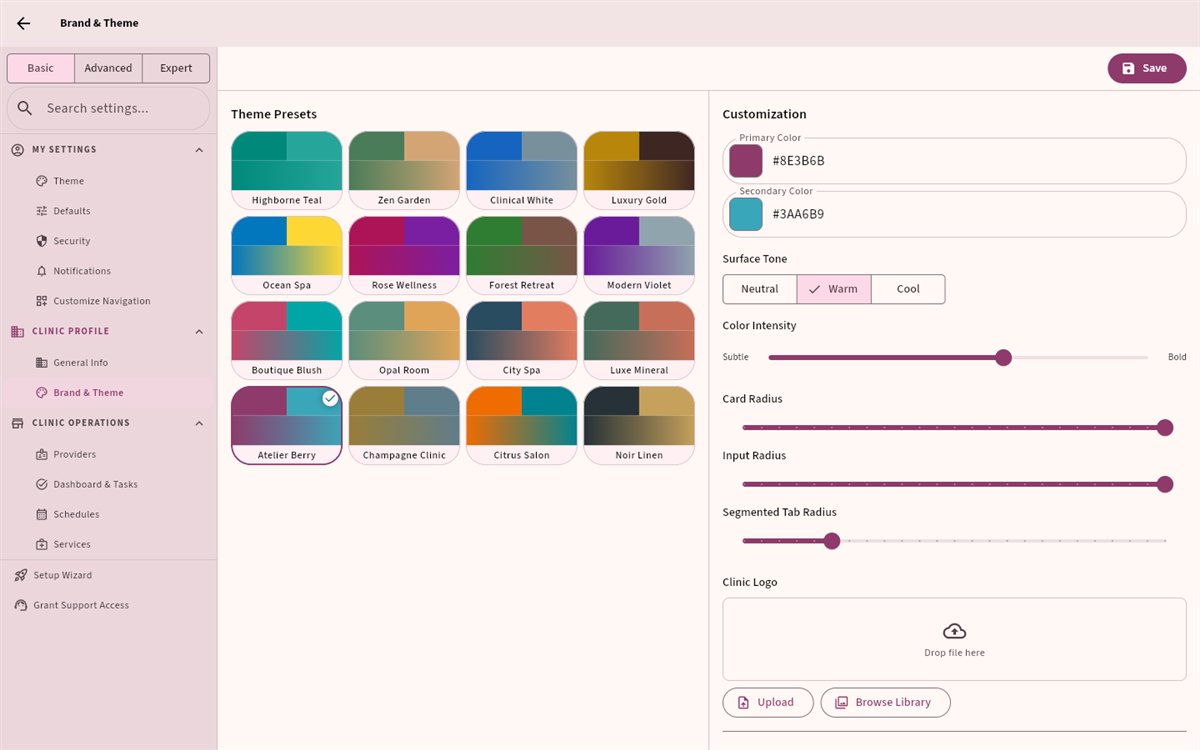
Pick a preset. Or distill your own.
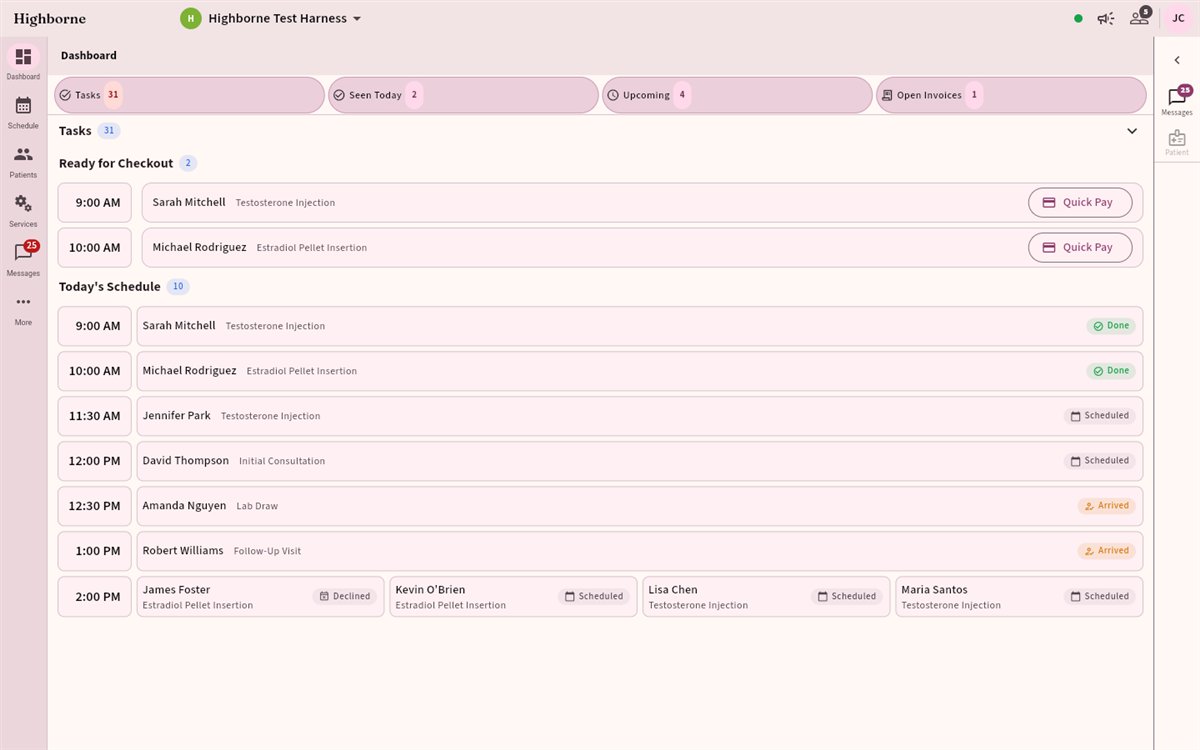
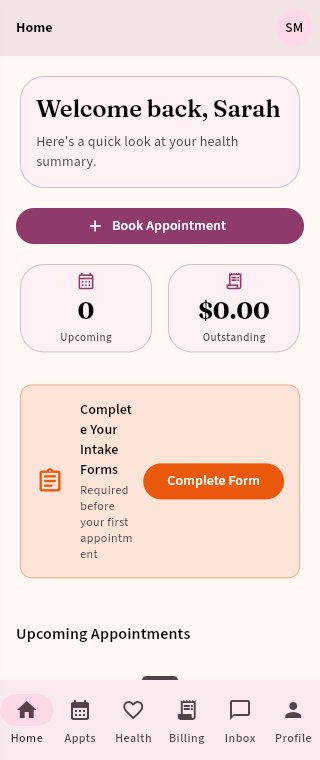
Any device. Web and native.
The same clinic, the same theme, the same keyboard shortcuts you set — desktop, tablet, and phone.
Five minutes, once.
The clinic’s look is set in one place by an admin. Everything below is a real screen in the product, not a concept.
- Settings → Brand & Theme. Start from one of thirty-three presets, or upload the clinic logo and build around it.
- Set the palette and tone. Primary and accent colour, surface tone, colour intensity. Light and dark come from the same palette — you pick once.
- Set the radii. Card Radius, Input Radius and Segmented Tab Radius are three separate settings, square through full pill.
- Choose the finish and the motion. Surface Finish (Flat / Linen / Pearl / Lacquer) and Motion (None / Subtle / Polished / Expressive).
- Then, per person: My Settings → Defaults → Data Density & Text Size. Comfortable through intense, chosen by each user for themselves.
What it does not do.
The honest boundaries, so nothing here is a surprise after you sign up.
- The theme is the clinic’s; the density is yours. An admin sets colour, finish and radius for everyone. Data density and text size are per person, so the front desk can run comfortable while the operator runs intense — on the same clinic theme.
- Radius is three settings, not one. Cards, inputs and segmented tabs are set independently, because a clinic that wants soft cards often still wants square inputs.
- You do not maintain two themes. Light and dark are derived from one palette; there is no second set of colours to keep in step.
Before you ask us.
And if the answer you want is not here, ask — questions are free.
Can each provider have their own colours?
No. Colour, finish and radius belong to the clinic, so the product looks like one place to everyone in it. What is yours is data density and text size.
Do we have to design a dark mode?
No. Light and dark are derived from the same palette. You choose colours once and both are produced from them.
How many themes are there really?
Thirty-three ship today: the original sixteen, nine richer pairings, and eight drawn from spa interior palettes — a wall or wood tone as the primary, a material as the accent.
Can we get back to where we started?
Yes. The presets do not go anywhere, so reverting is picking one again.
Make it yours.
Your colours, your density, your clinic.
CURRENTLY IN A CLOSED BETA · ONLINE DEMO COMING SOON