Closed BetaInvitation code required
Clinic management · built for the health spa

Complete clinic management, built for the health spa.
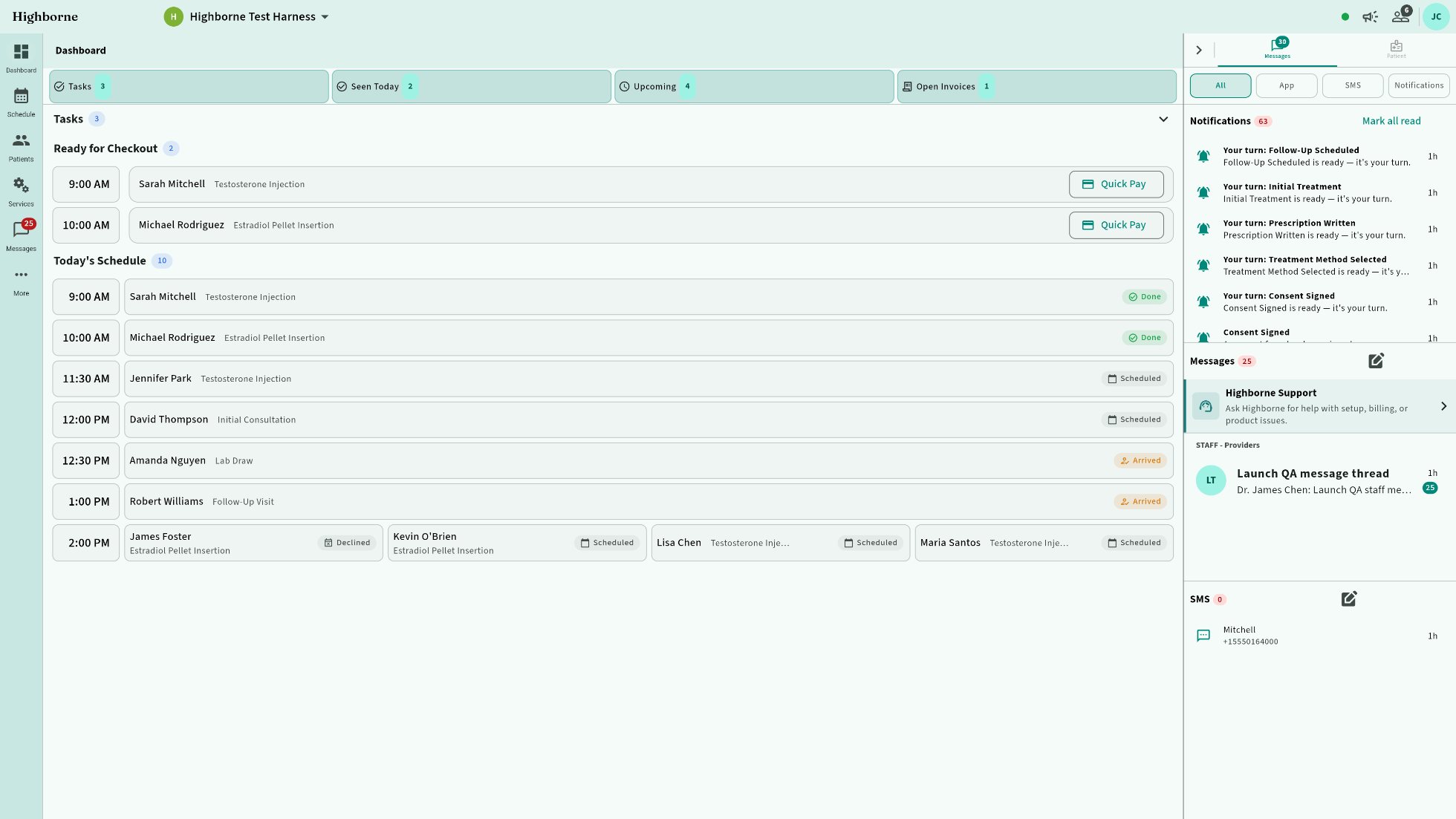
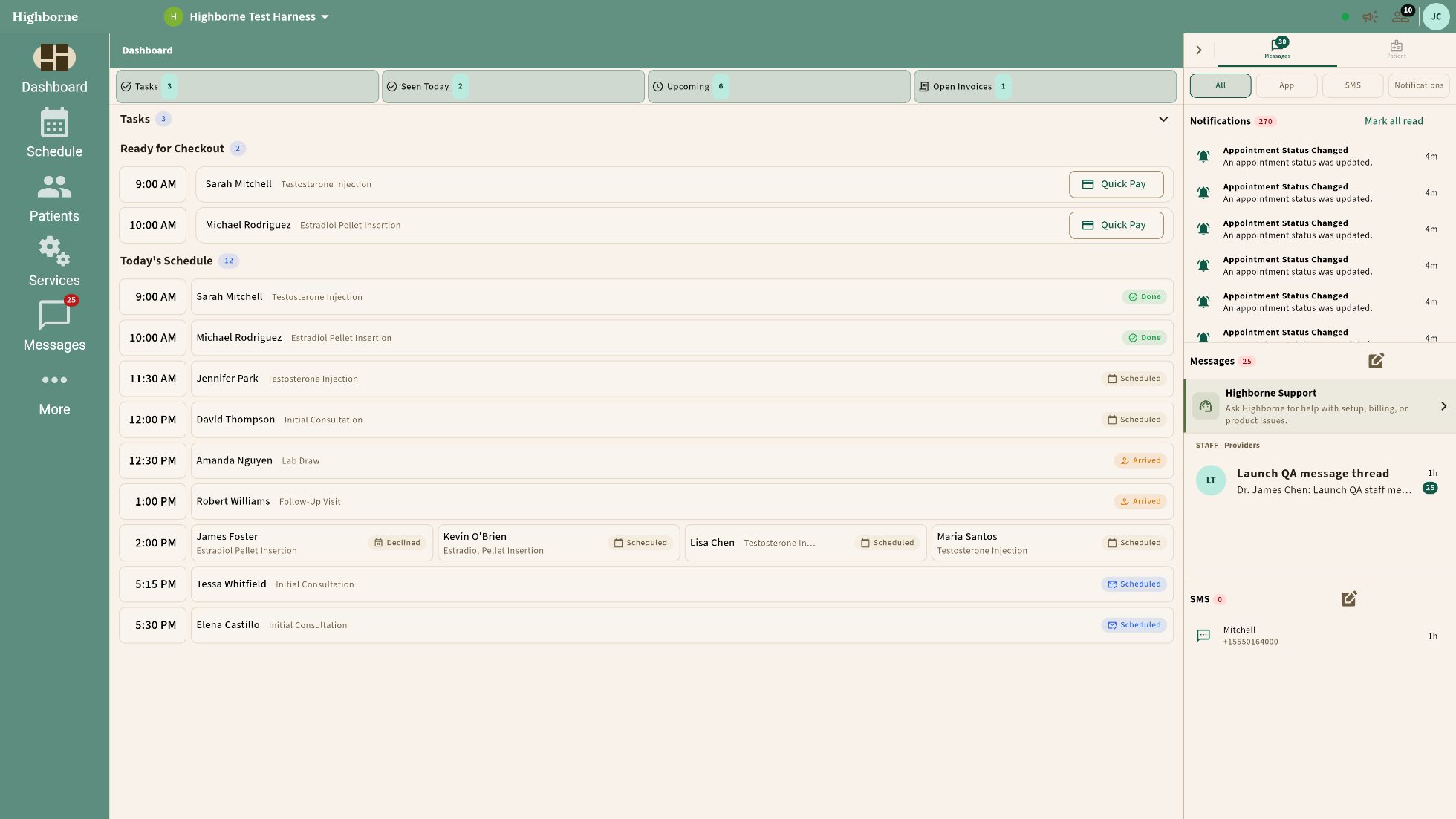
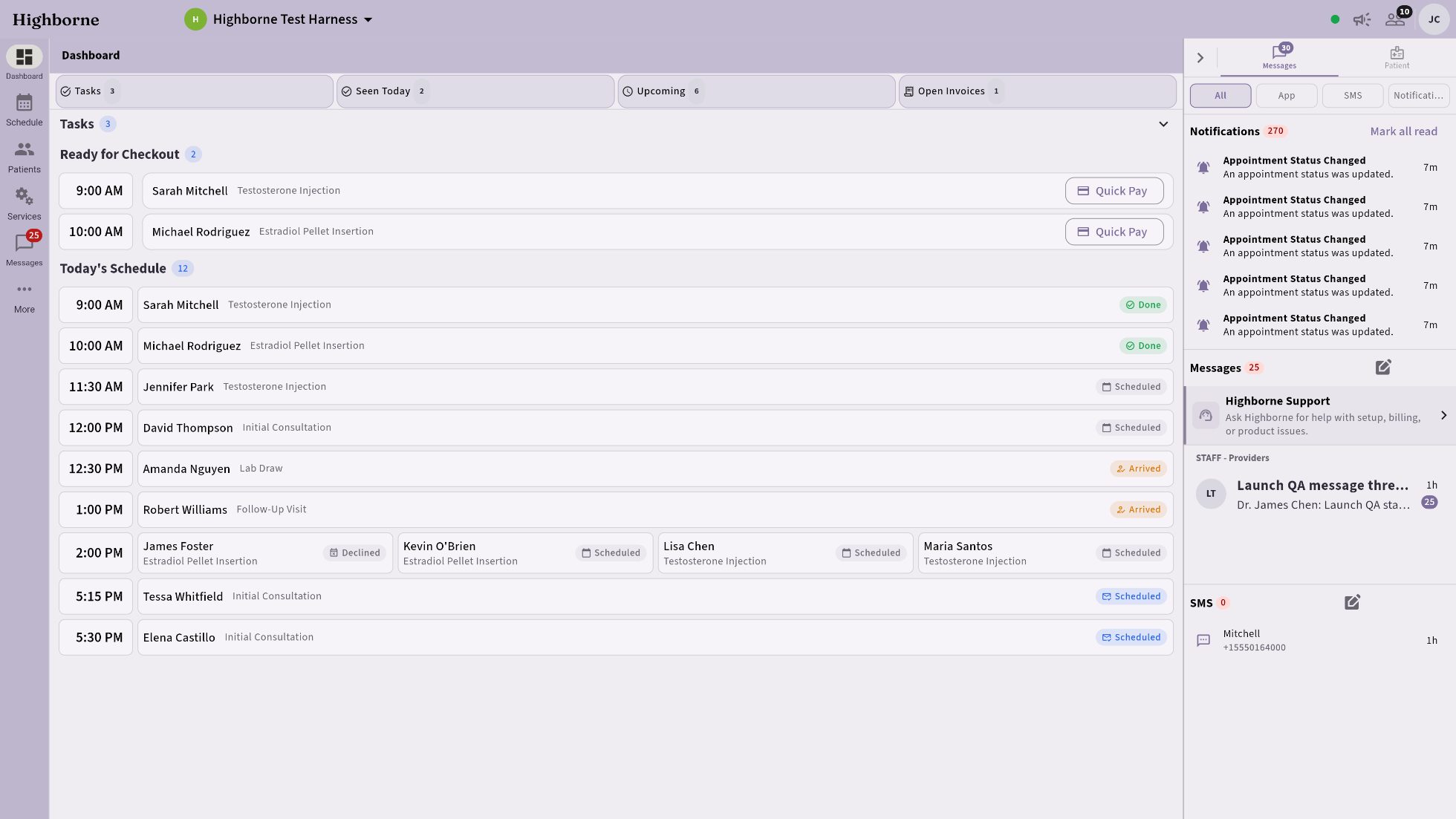
Highborne owner dashboard with the navigation expanded and the Messages rail widened DASHBOARD · NAV EXPANDED · MESSAGES RAIL WIDENED · HIGHBORNE TEAL
HRT, aesthetics, GLP-1, IV — charting to checkout in one system. One clinic or a hundred: the same system, the same care.
Every visit is prepared before it begins. The prescription is staged with its lot, the note drafts itself, and nothing enters the record until your provider signs it.
Scroll
I · Prepared, not prompted

Workflows that know the medicine.

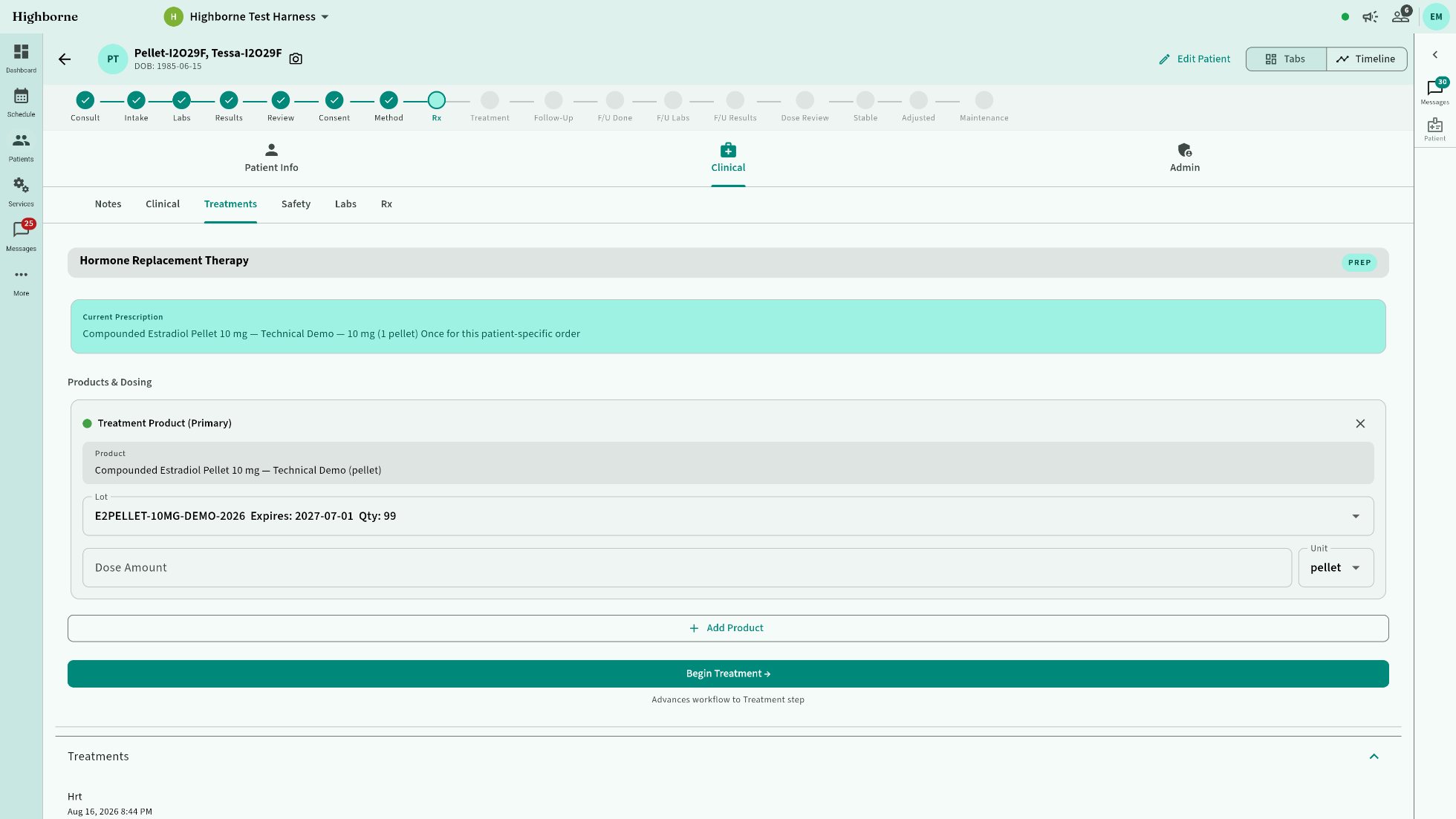
HRT pellet insertion prep tray: lidocaine first, then the pellet with its lot, both pre-selected from the service recipe — Begin Treatment waiting on the provider
An HRT visit arrives with the pellet prescription and its lot already staged.
The note assembles itself, segment by segment.
Your provider amends and approves — never assembles. Nothing enters the record without their sign-off.
II · Counted, not claimed

Nothing reports “done” that the record can’t prove.
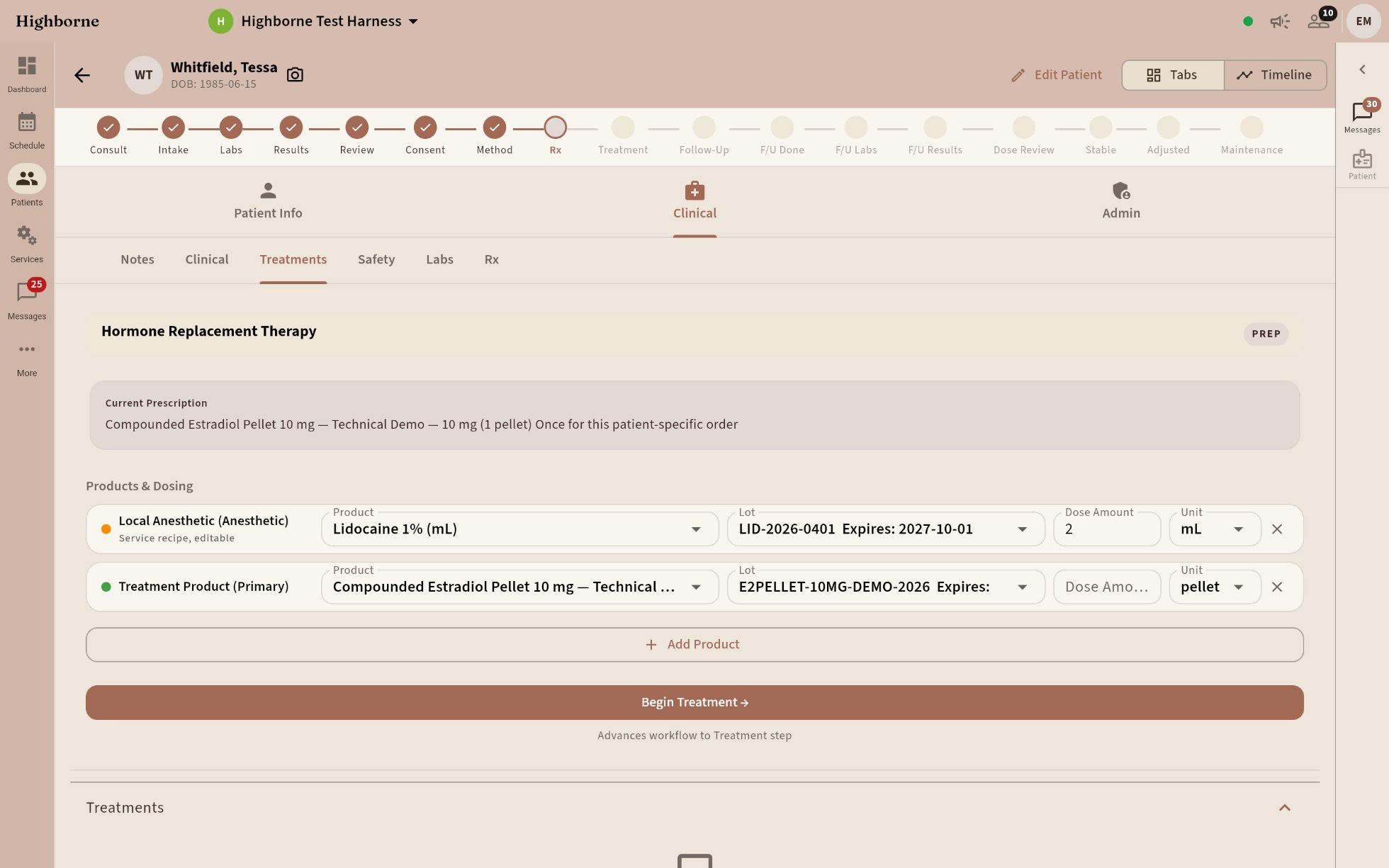
HRT prep tray with the anesthetic and the pellet staged with their lot numbers, Clay and Ivory theme
Every lot decrements as it’s used; a preflight failure blocks the treatment.
Signed notes are immutable — corrections are addenda, never edits.
Every action audited — inspectable from the owner’s chair.
III · Yours, not ours

Software worn eight hours a day should fit.
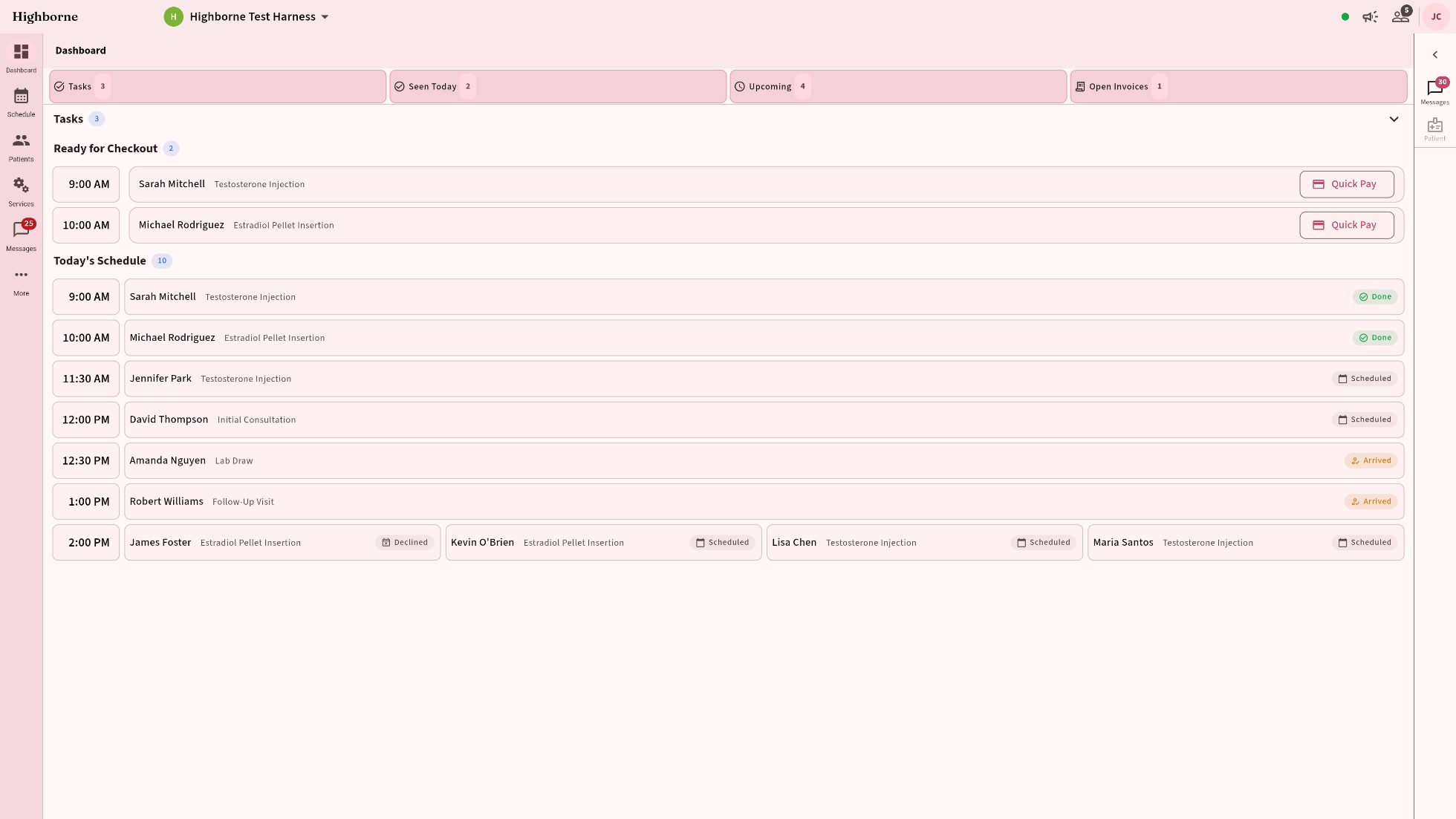
Highborne in Boutique Blush BOUTIQUE BLUSH
Thirty-three themes, any density, light or dark — from comfortable to intense.
Simple on the surface. Bottomless when you ask.

The whole clinic. One login.

Charting to checkout, injections to invoices — one system that talks to itself. Web today; Windows, macOS, iOS, and Android coming soon.

The medicine

Built around the visit,
not around the software.

Curated workflows

Workflows that know the medicine.

Protocols, pharmaceuticals, and procedure maps built into every segment. Segments are settings, not code — reorder, add, or remove steps per service. Here, a GLP-1 visit: the staged dose and lot are already on the tray.
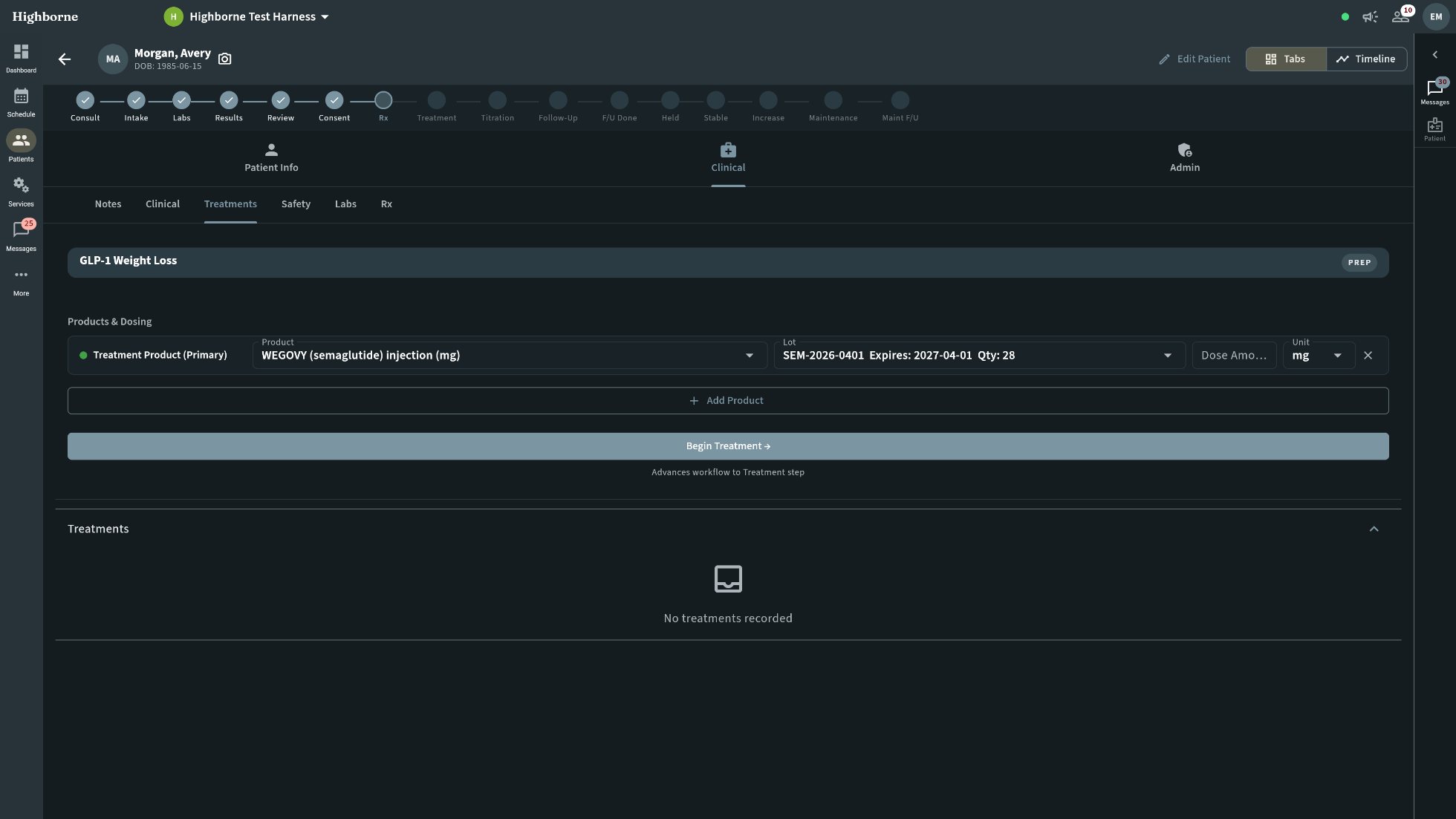
GLP-1 prep tray: the WEGOVY staged dose and its lot pre-selected from the service recipe, dark theme
Clinical notes auto-populate from the workflow; the provider edits and approves.
Pharmaceuticals per segment — what each step needs, staged ahead.
Procedure maps — injection and insertion sites, charted in place.
Protocol library — start curated, make it yours.
Clinical depth

Charming out front.
All medicine underneath.

Thirty-two structured chart templates — every service, charted its own way.
Injection maps, face and body — dose by site, wired to the lot it was drawn from.
Labs that act, not just file: in range, filed quietly; out of range, flagged and rechecked; far enough out, the next booking is gated until a provider reviews.
Signed means signed. Template version, signer, and timestamp — snapshotted.
Chart at the desk, shoot with the phone. Open the note on the computer, take the clinical photos in the app on your phone — they land in that chart, on that visit.
01/03Adverse events tracked to resolution.
02/03Prior auth & e-prescribing in the chart, not a tab.
03/03Telehealth on the same record, same consent.
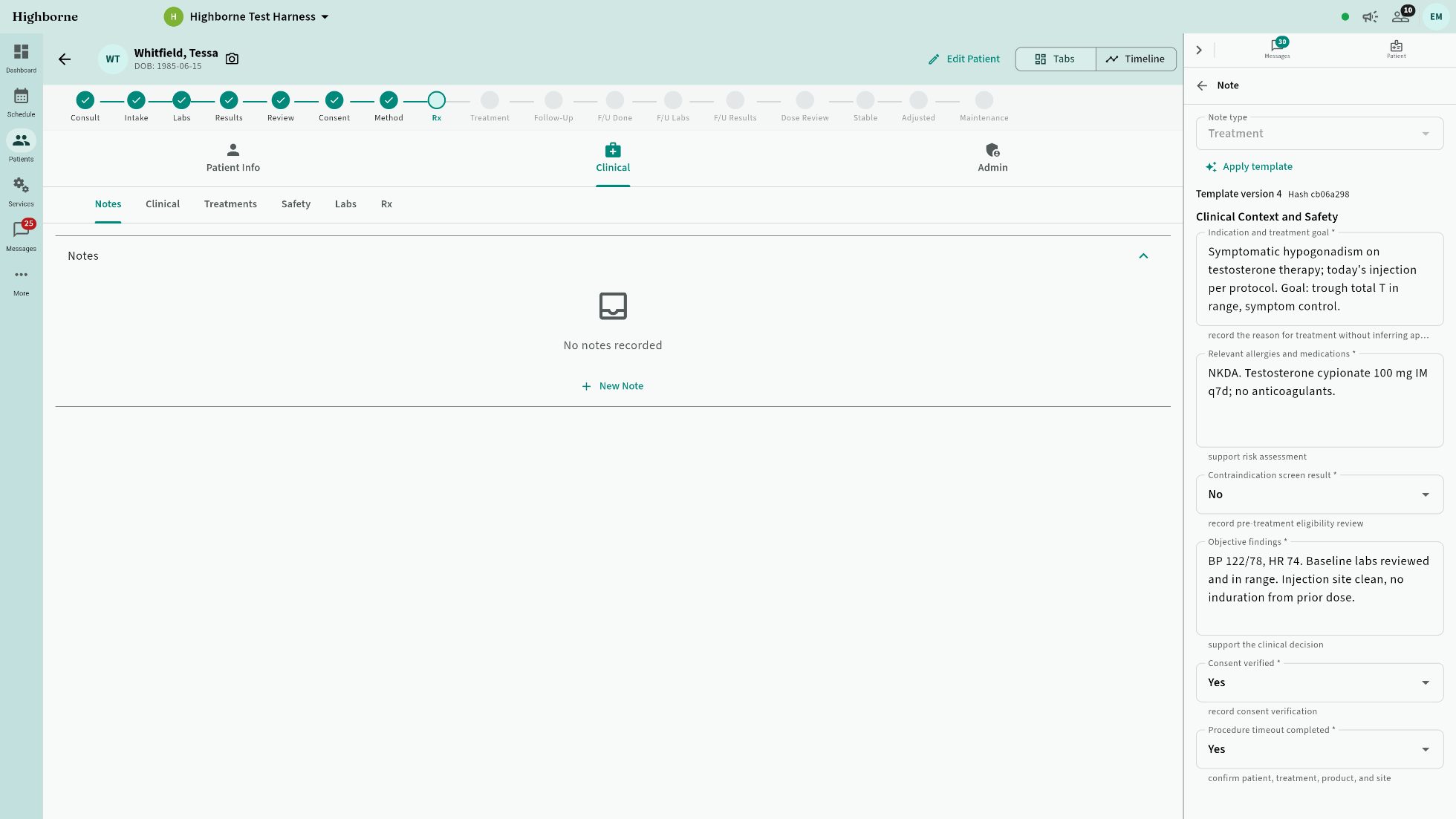
Patient chart, Notes tab, with the structured treatment note being written in the visit-log rail
THE CHART · A NOTE BEING WRITTEN — LIVE CAPTURE
Injection maps · face and body

Every unit, on the map.

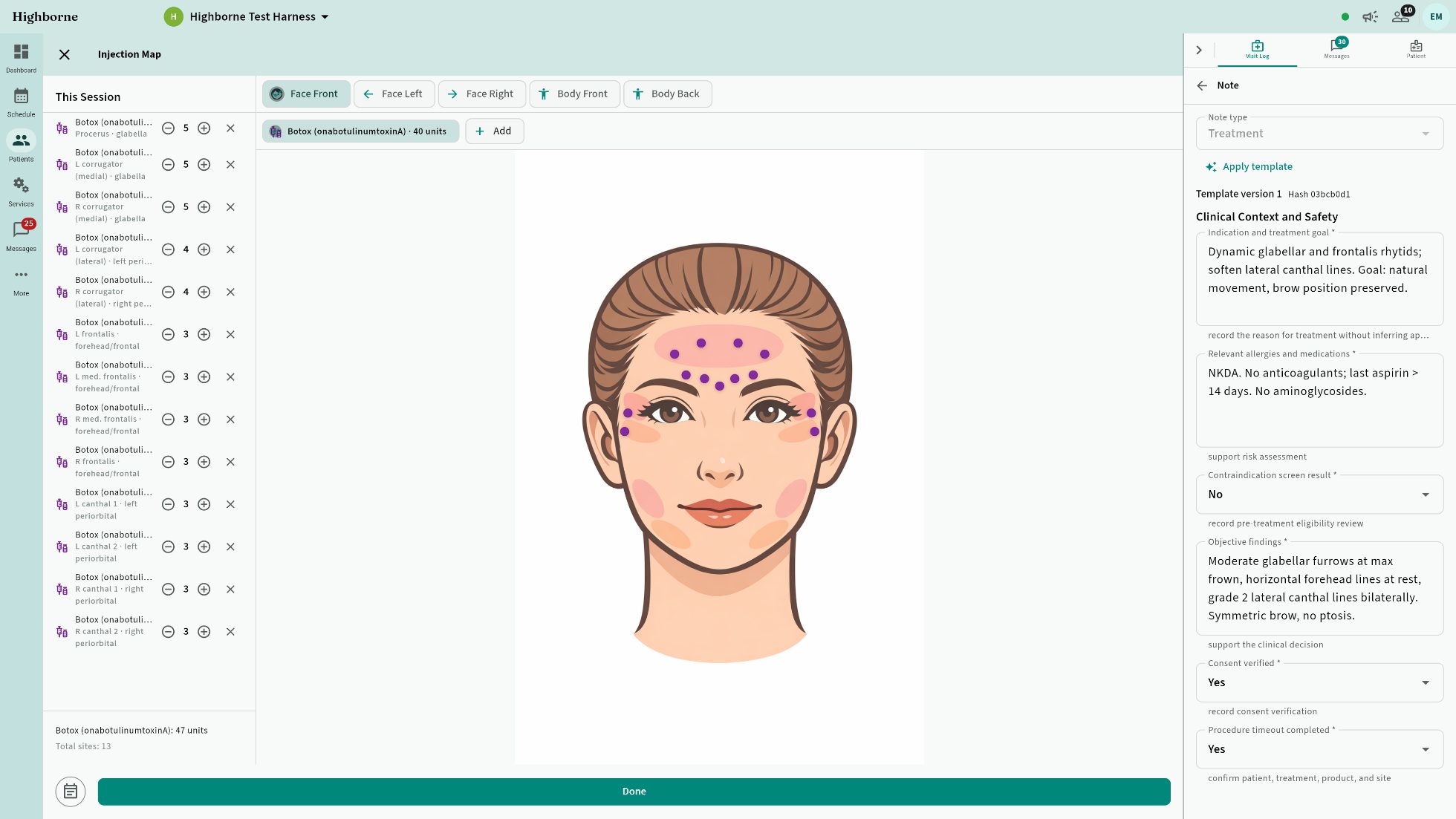
Tap the site, set the dose; the note writes itself beside the map. Thirteen sites of neurotoxin, forty-seven units, one lot — recorded as it happens, not from memory at the end of the day.
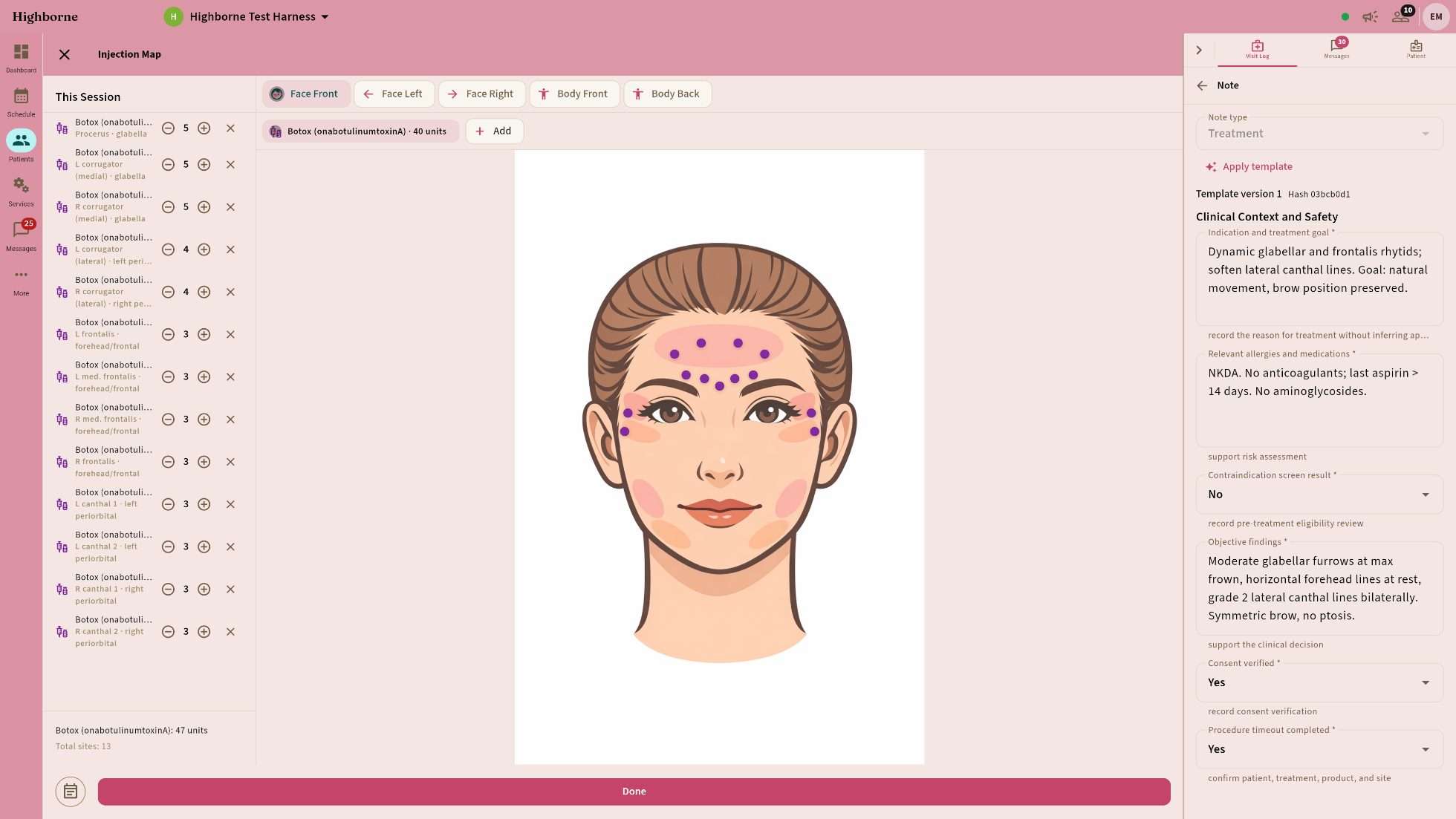
Botox injection map on the face with thirteen sites, dose per site, and the structured clinical note being written beside it
Dose by site, wired to the lot it was drawn from — units decrement as you place them.
Face front, left, right; body front and back — anatomical regions named for you (glabella, frontalis, lateral canthal).
The note is right there. Indication, contraindication screen, consent, timeout — structured fields, filled beside the map.
Photos from your phone land in the same chart, on the same visit.
The front of house

Entered once.
Correct everywhere.

Scheduling

Bookings that book themselves.

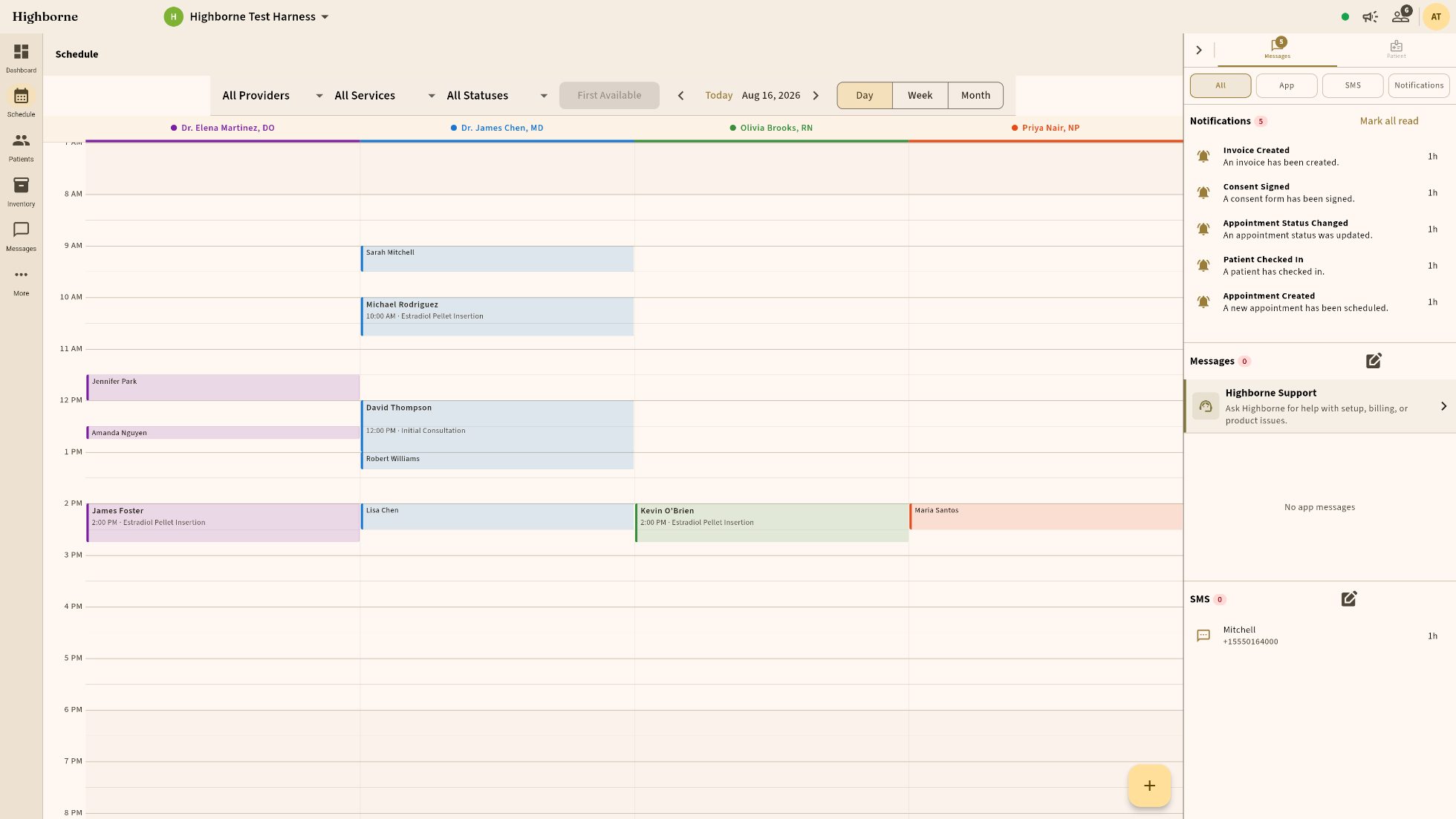
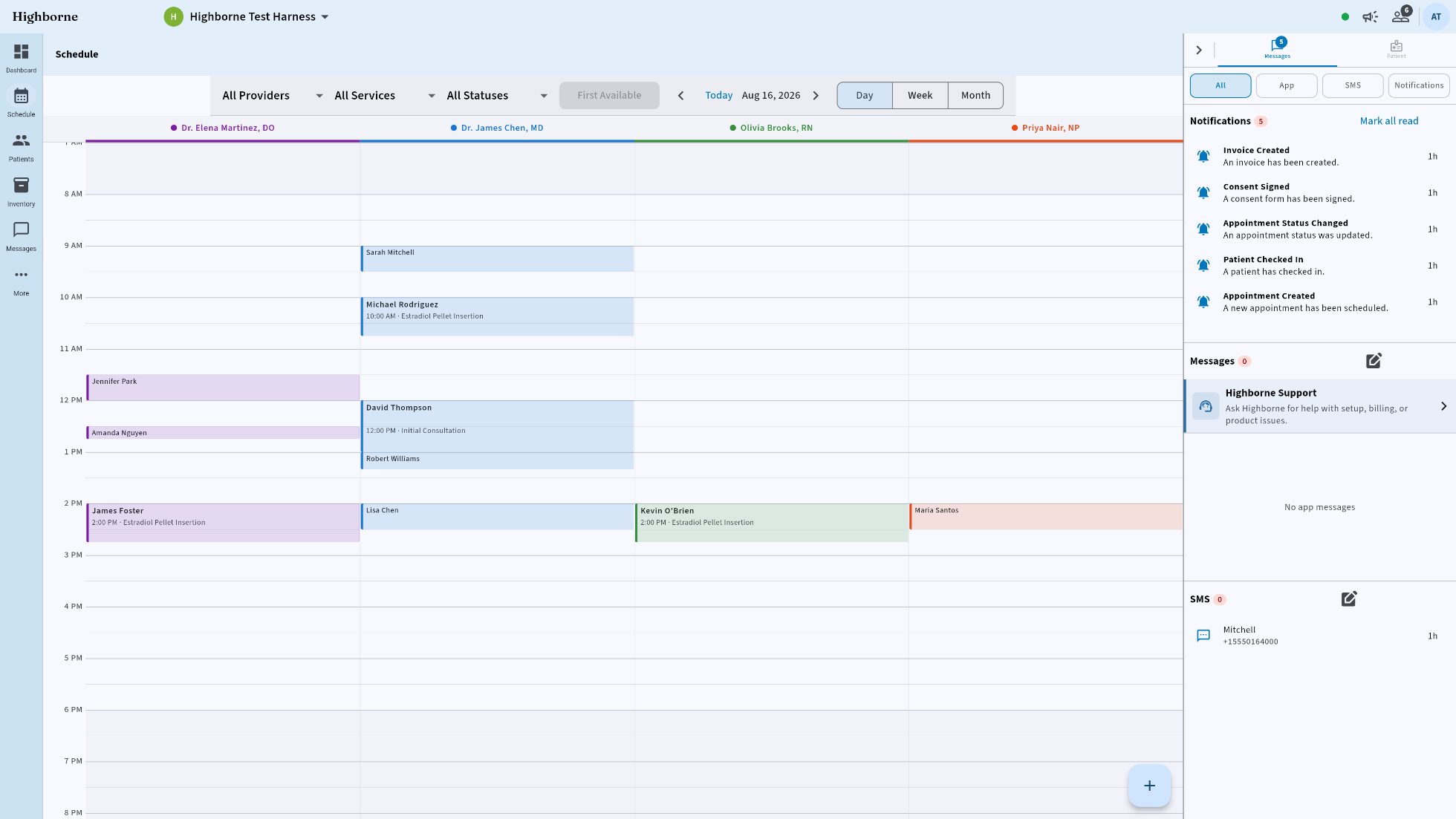
Every room, every provider — one calm grid that reads at a glance. Here with the Patient rail open beside it.
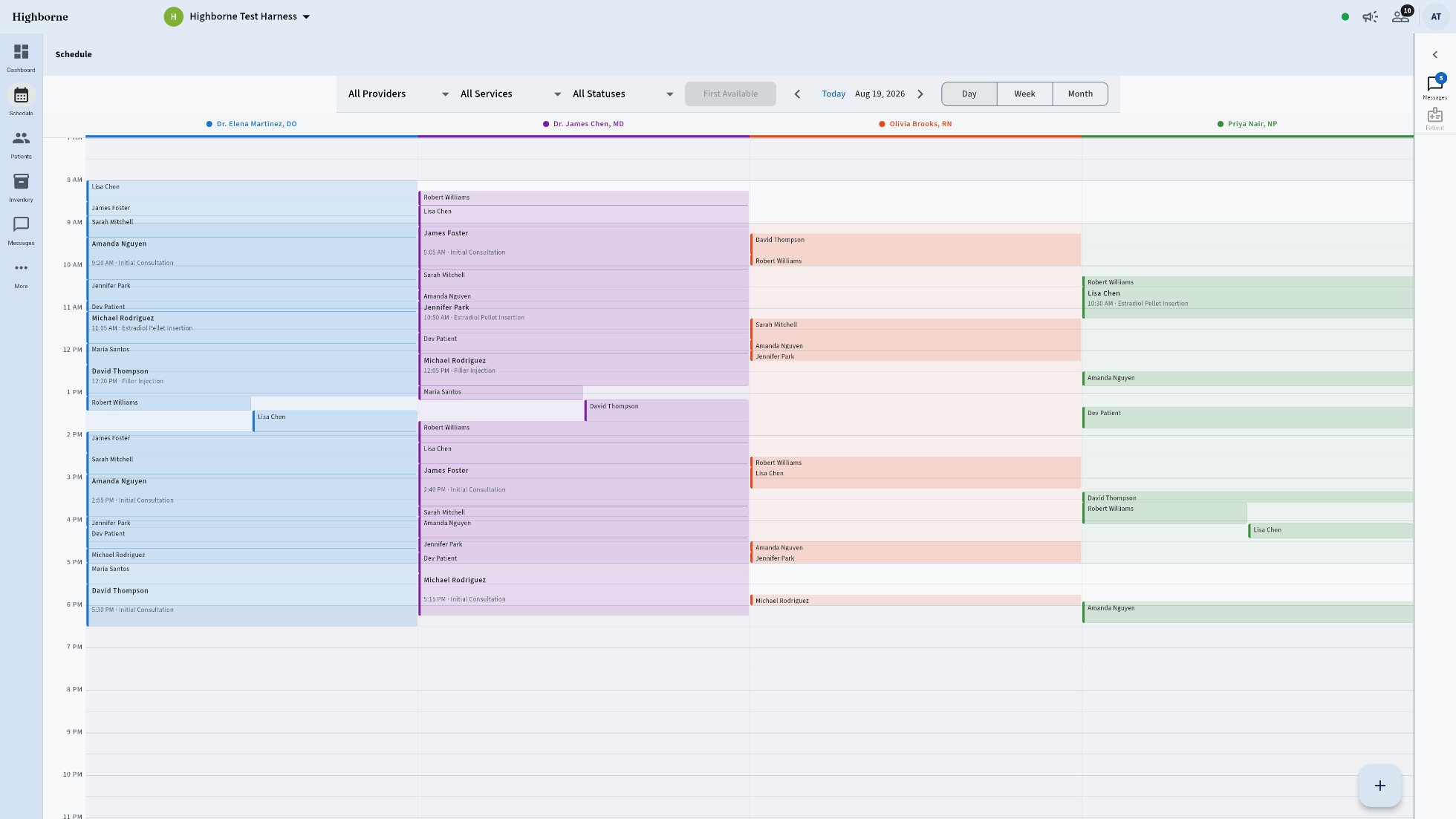
Highborne schedule with the Patient rail open
A large office's day: every provider column full from open to close, compact density
A LARGE OFFICE'S DAY · FOUR PROVIDERS · COMPACT
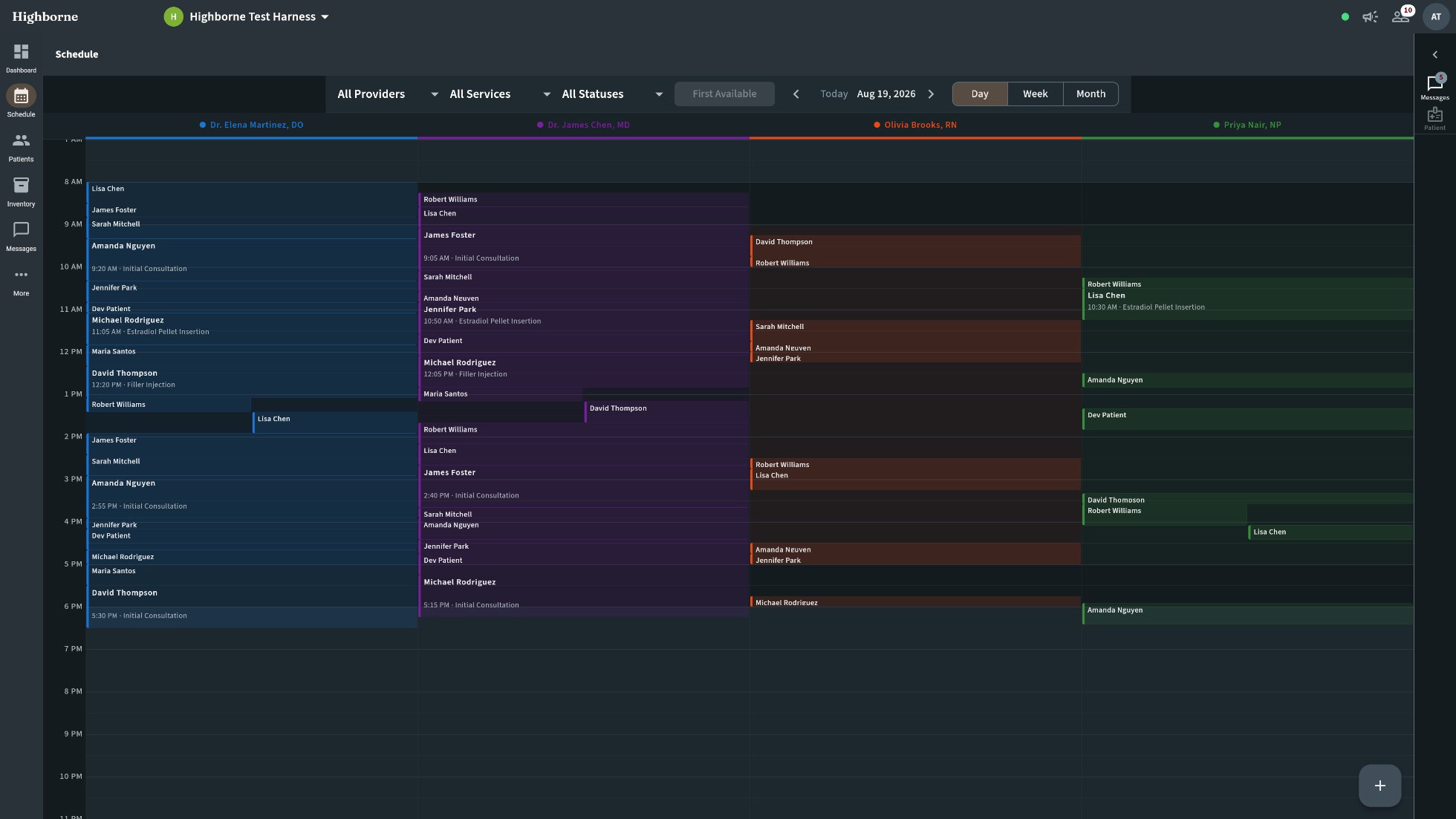
The same full day in the Slate and Copper dark theme
THE SAME DAY · SLATE & COPPER · DARK
Provider qualification: only who can, gets booked.
Lab-gated services: no booking before required results.
Rooms and devices reserved with the visit. Waitlist to checkout without leaving the page.
Patients

In their pocket,
on your letterhead.
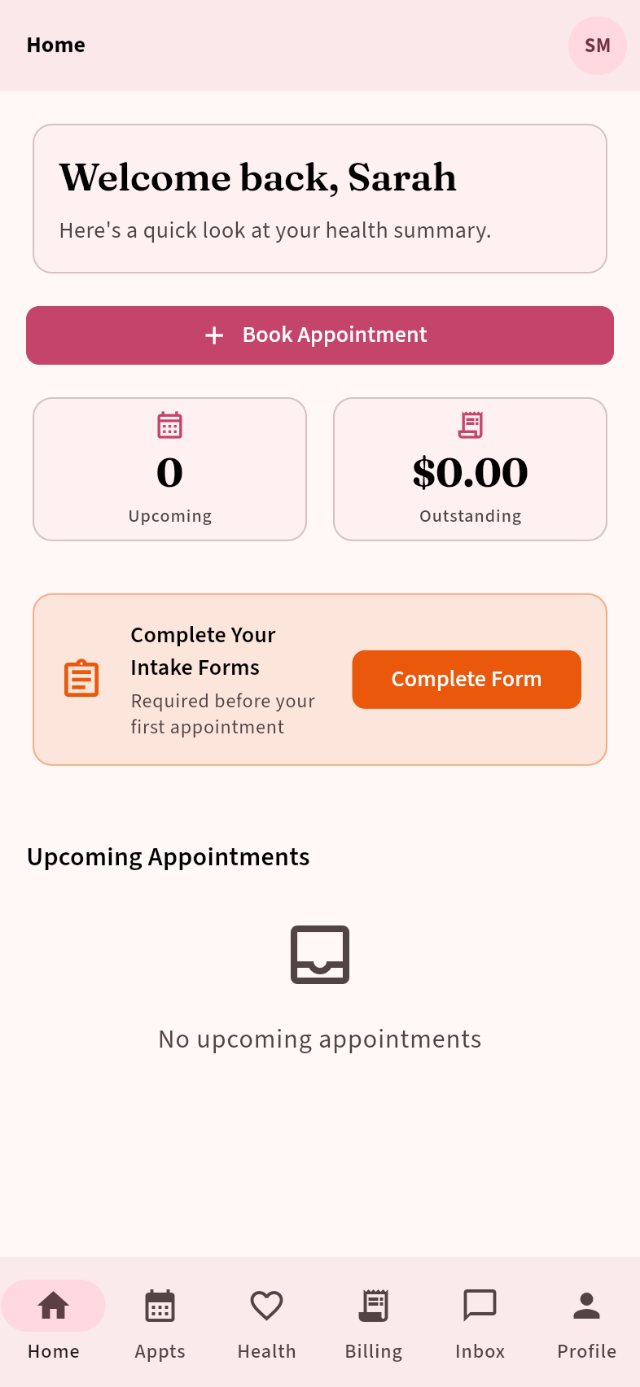
Booking, results, and secure messages with your staff — self-serve where it helps, human where it matters. Everything clinical lives in the app, on the chart.
Texts for the things a text is for — “Your appointment is tomorrow at 9:00. Reply C to confirm,” or “Dr. Chen is out tomorrow; reschedule in the app, online, or call us.” Nothing clinical, ever, by SMS.
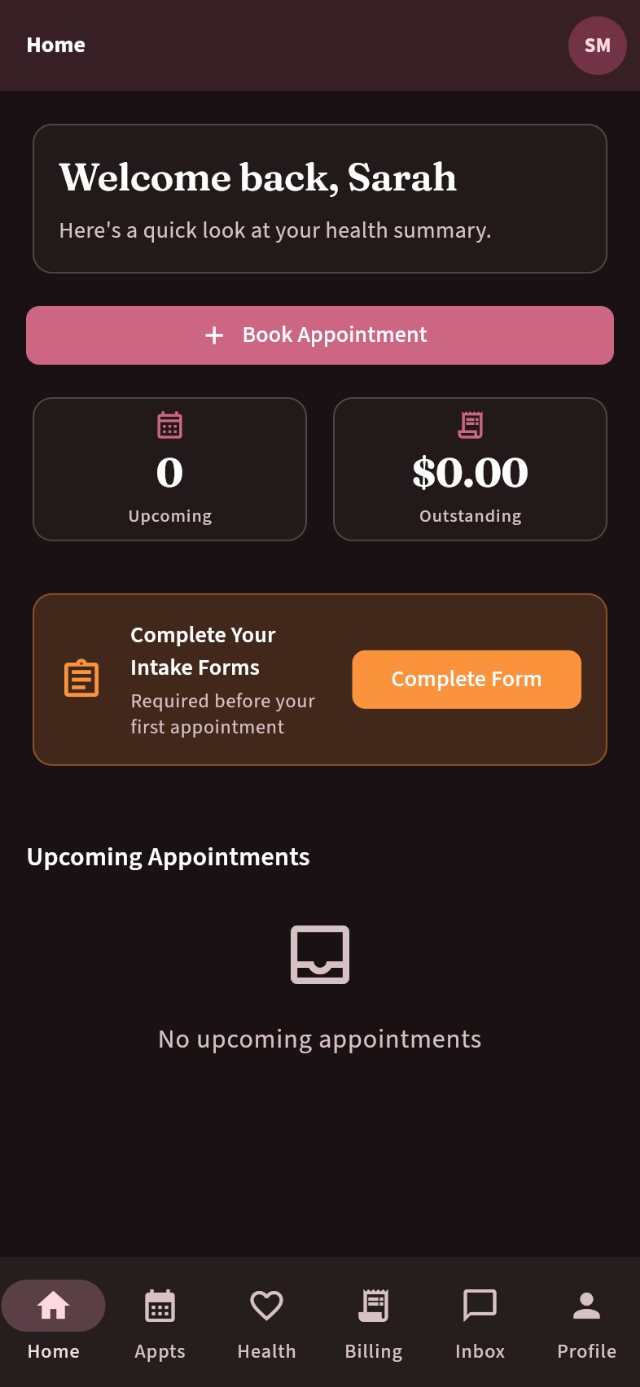
Patient app, light
Patient app, dark
The front desk

Nobody yells down the hallway.

Waiting, in rooms, checkout — one popup, always current, from any screen. Room turnover isn’t a message someone remembers to send; it’s a workflow event the system fires.
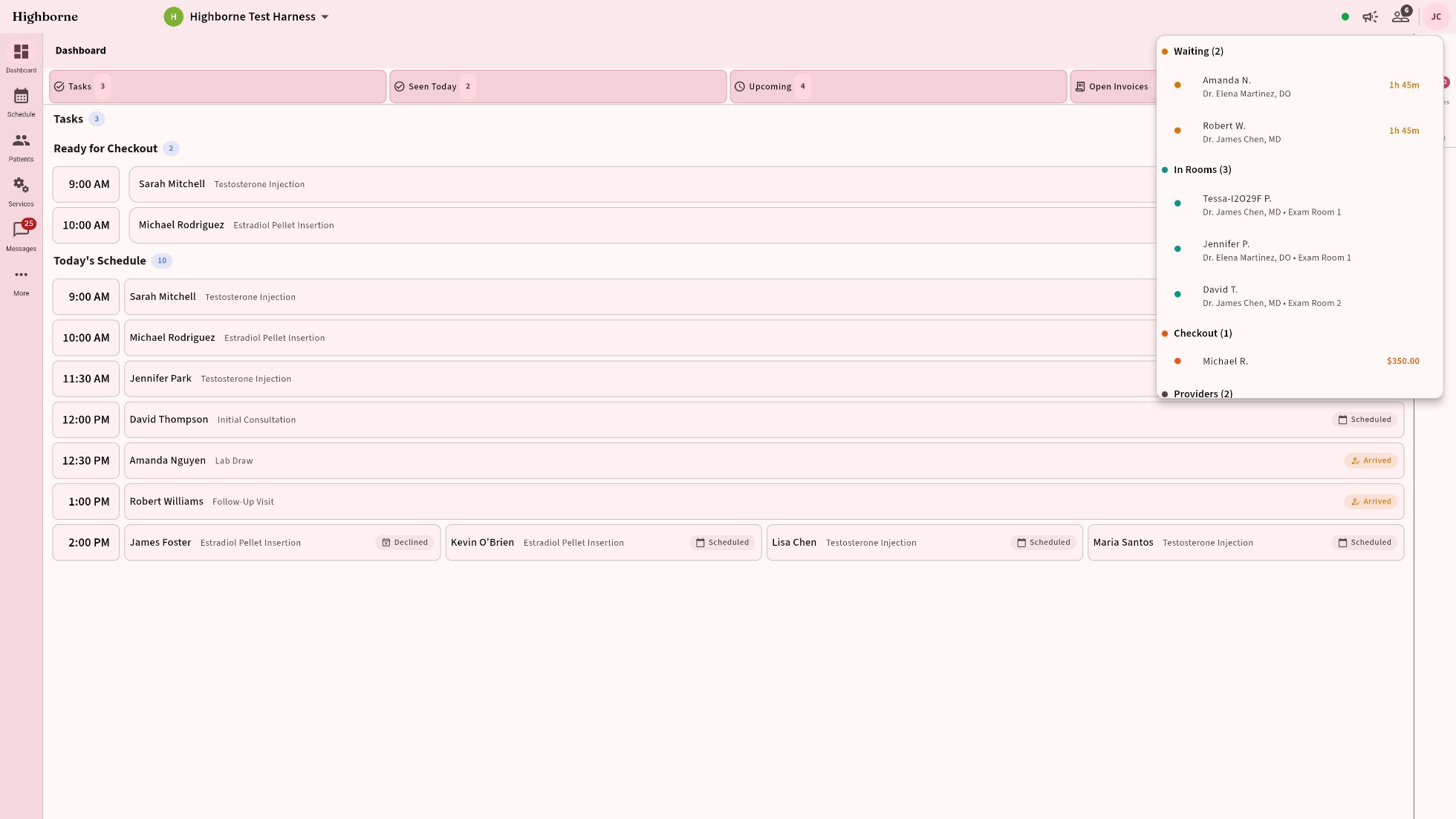
Clinic status popup over the dashboard: Waiting, In Rooms with occupants, Checkout with balance, Providers
1Treatment complete. The workflow moves the patient to Checkout and frees the room — automatically.
2The front desk hears it. An alert with its own sound: room open, patient ready to check out.
3Assign the next patient from the popup — tap a waiting patient, pick the open room. Two taps.
4The provider is alerted. Their next patient is roomed. Nobody walked anywhere to say so.
Messaging · built in

Your team’s chat. Your patients’ inbox. One place.

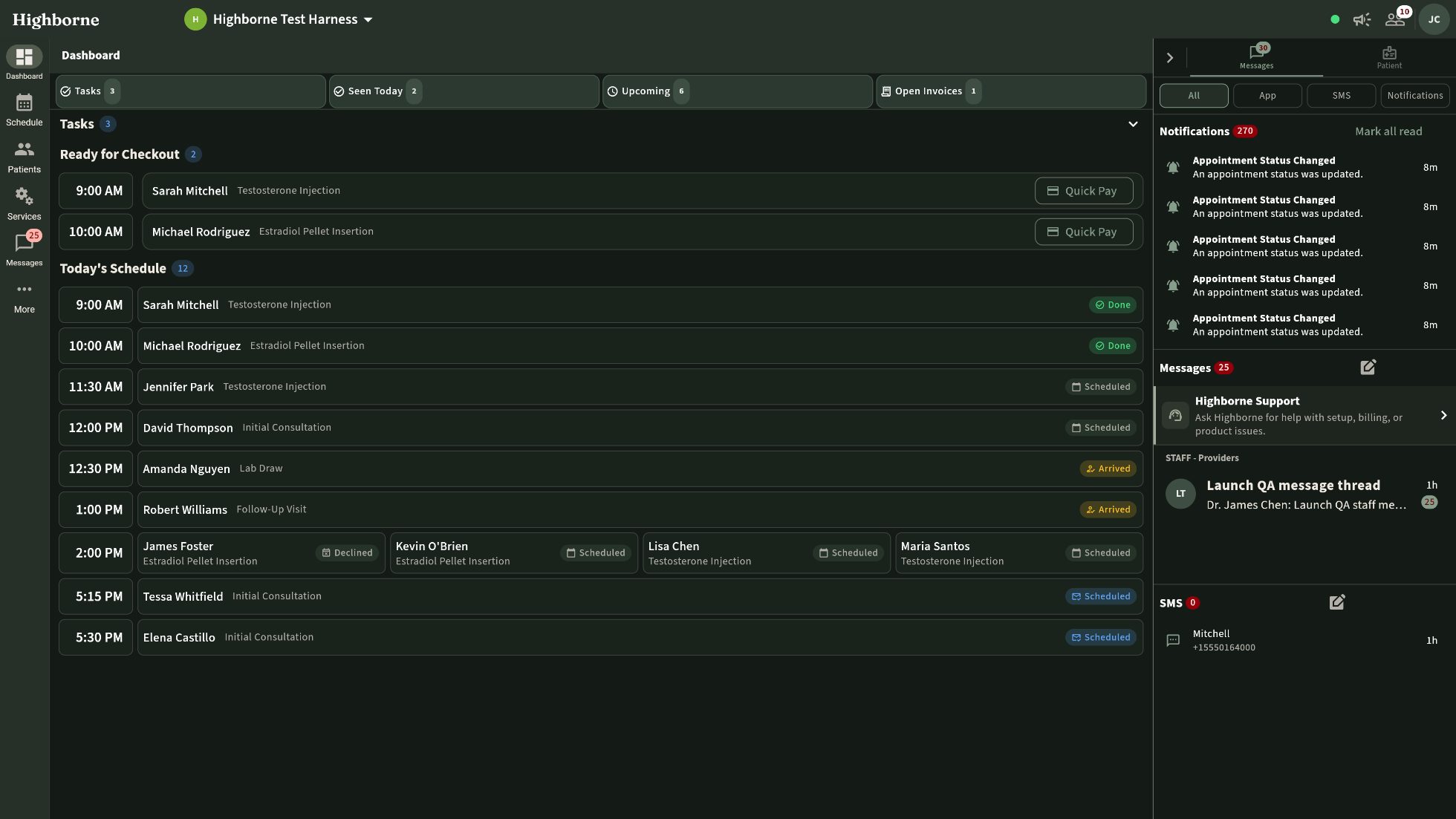
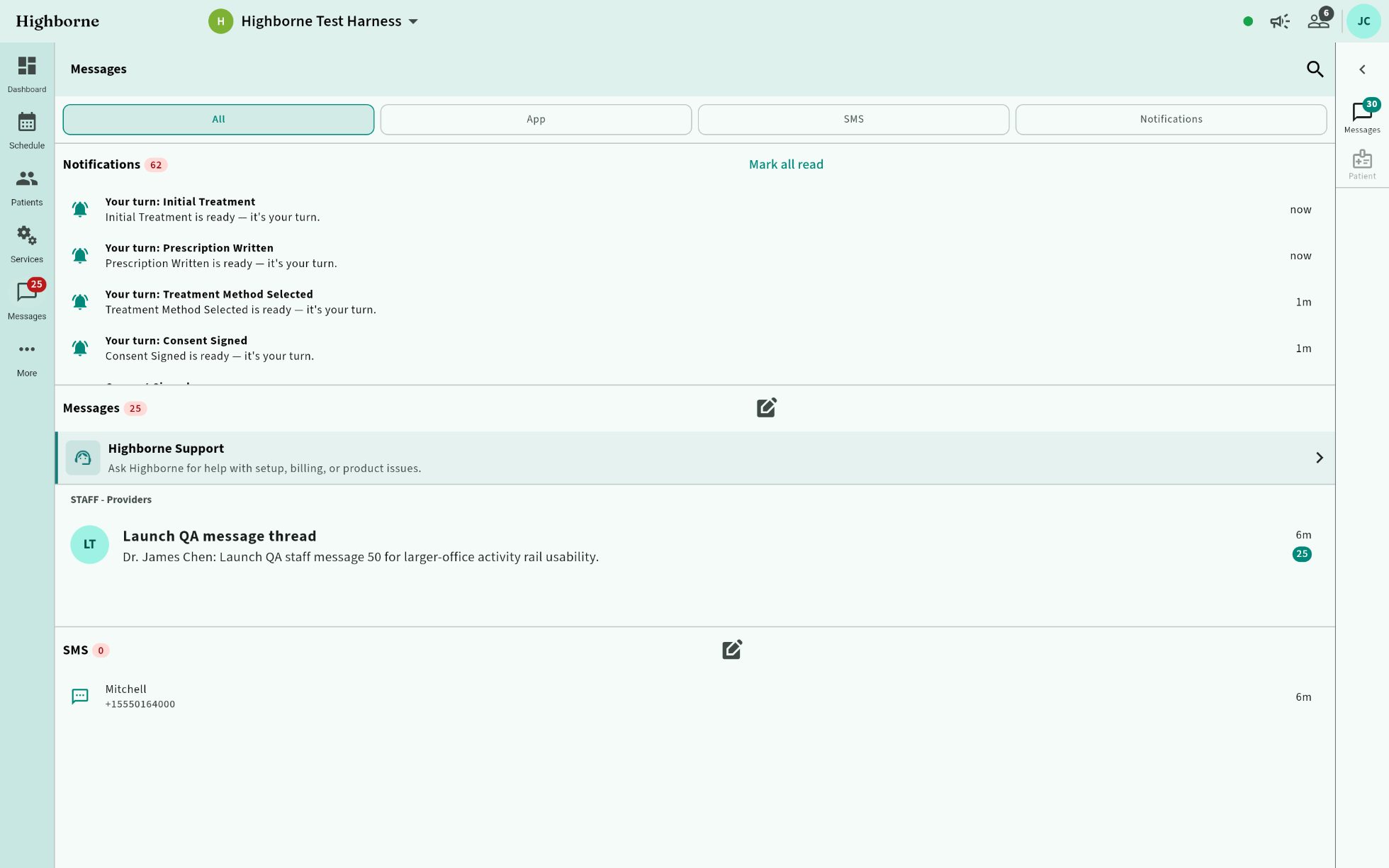
Two things clinics usually buy separately — and then can’t connect to the chart. The Messages rail sits beside whatever you’re doing.

Dashboard with the navigation expanded and the Messages rail dragged to its maximum width, Deep Sea Glass dark theme
How the channels divide

Content decides the channel.

For your team: channels and threads for the conversations that are still human — a question for a provider, a heads-up for tomorrow. The routine hallway traffic (rooms, checkout, who’s next) is already automated above.
For you, from us: Highborne Support is a pinned thread in that same inbox — a direct line to the people who built the product, right where you already work.
For your patients: anything clinical happens in the secure patient app — results, questions, care conversations — every message attached to the chart. Nothing clinical ever travels by text.
Appointments can text. Confirmations, reminders, rescheduling — logistics aren’t clinical, so SMS is fair game: the app notifies first, a text follows if it needs to.
Pharmacy faxes land in the same inbox. Prescription out, confirmation back, filed to the record.
SMS and fax lines included. Campaigns go by email, where consent and unsubscribe are first-class — never SMS.

Sarah Mitchell · secure patient thread

SARAH · IN APPIs a little tenderness at the site normal the day after?
OLIVIA BROOKS, RNYes — mild tenderness for a day or two is expected. If it swells or gets warm, message me right away.
CLINICAL · SECURE APP · ATTACHED TO CHART

Highborne Support · pinned thread

YOUCan the pellet workflow ask for lot number before the tray step?
HIGHBORNEYes — reorder the steps under Settings → Workflows → HRT Pellets. Want us to walk you through it? Happy to, or here’s the doc: Editing a workflow.
SMS · APPOINTMENT LOGISTICS ONLYUnfortunately Dr. Chen is out tomorrow. Please reschedule in the app, on our website, or call the front desk: Open app · Reschedule online · (555) 010-4000
Point of sale & money

Checkout to ledger,
no re-typing.

Quick Pay at the desk — the invoice was built during the visit.
Accounting built in; the ledger reconciles itself. Entered once, correct everywhere.
Commissions per provider, per service. Financing approved in the chair. Memberships billed with discounts applied automatically.
Lot-tracked inventory — costs land on the treatment.
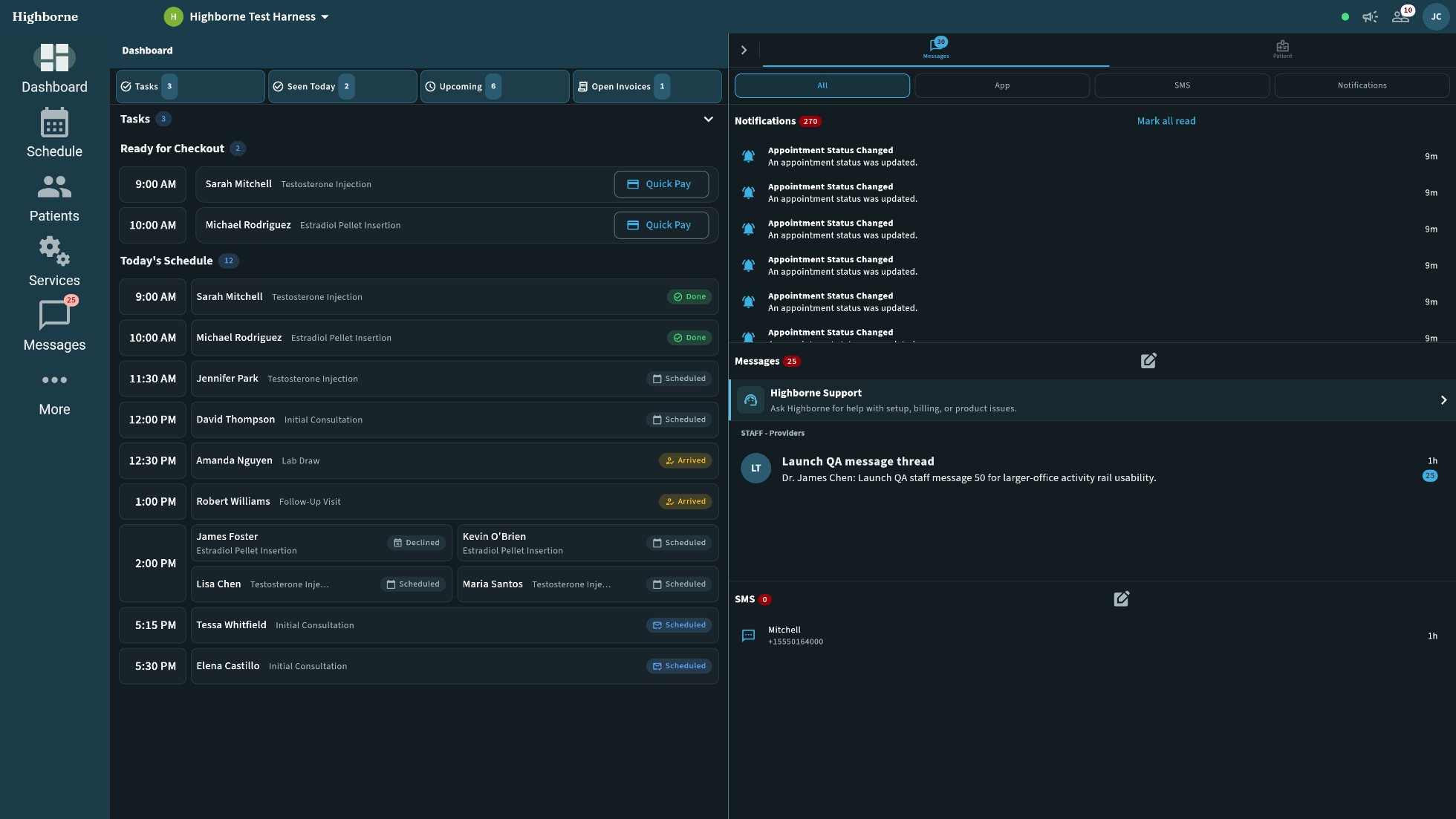
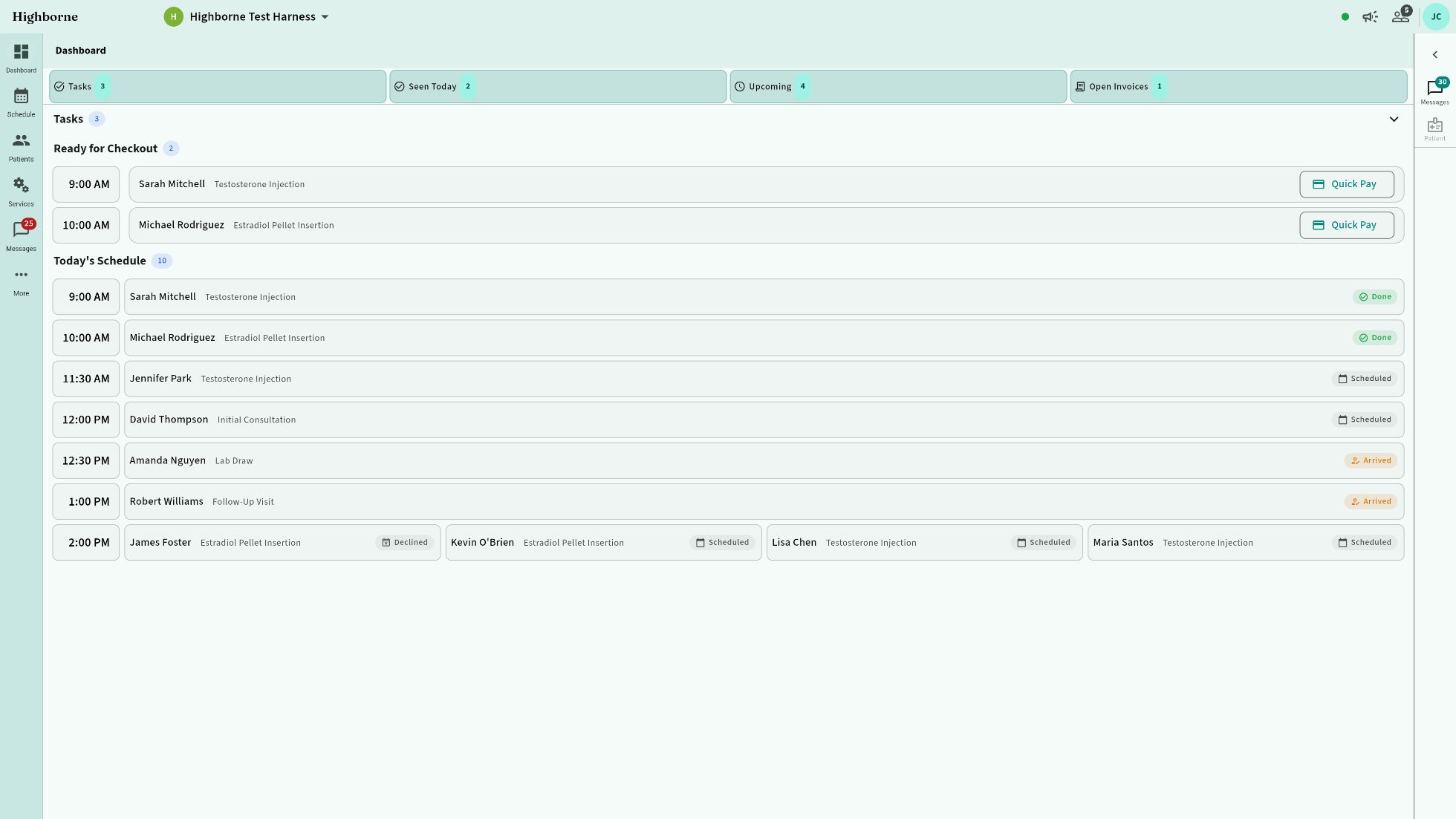
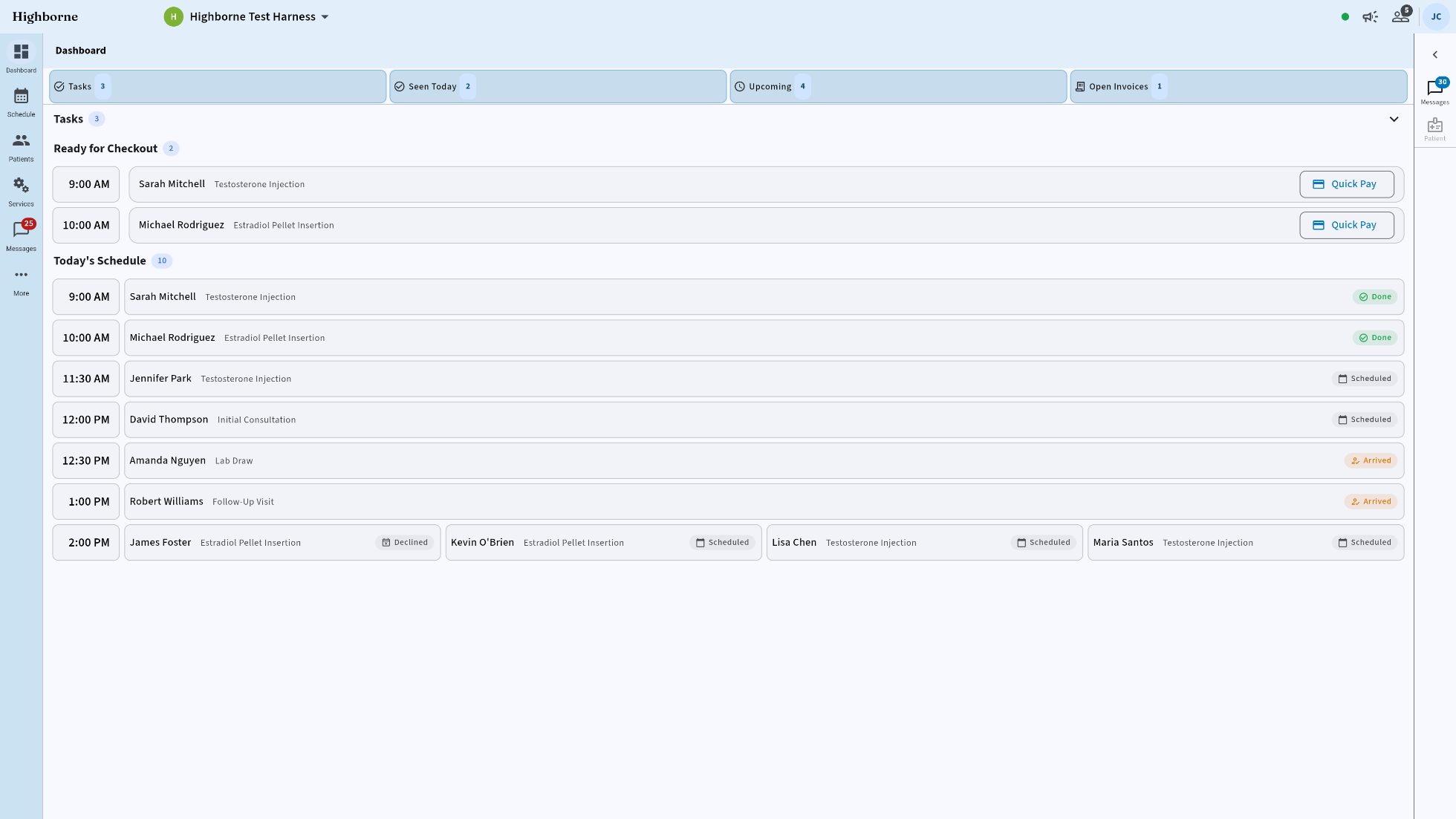
Owner dashboard: tasks ready for checkout and Quick Pay
OWNER DASHBOARD · QUICK PAY — LIVE CAPTURE
The owner’s chair

Every service, priced, staffed,
and wired to a workflow.

The business half of the clinic lives here: services and their recipes, providers and what they’re licensed to do, inventory by lot, memberships and loyalty, the subscription itself.
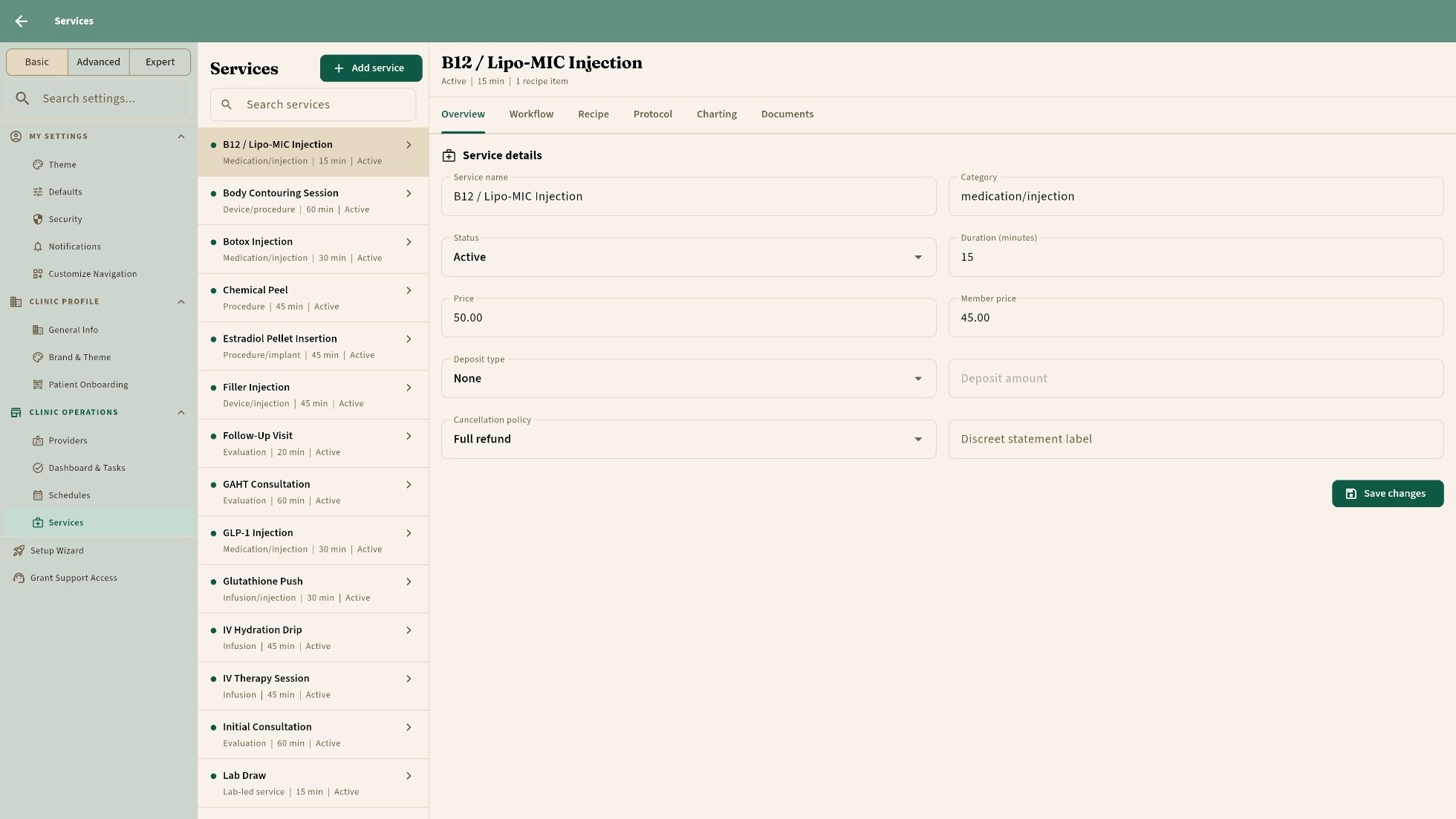
Owner settings: the services list with a service’s overview, workflow, recipe, protocol, charting and documents tabs
Thirty-two services ship configured — price, member price, deposit, cancellation policy, and the workflow each one runs.
Providers and qualifications — only who can, gets booked. Roles and permissions per seat.
Inventory by lot, costs landing on the treatment; memberships and loyalty tiers that renew themselves.
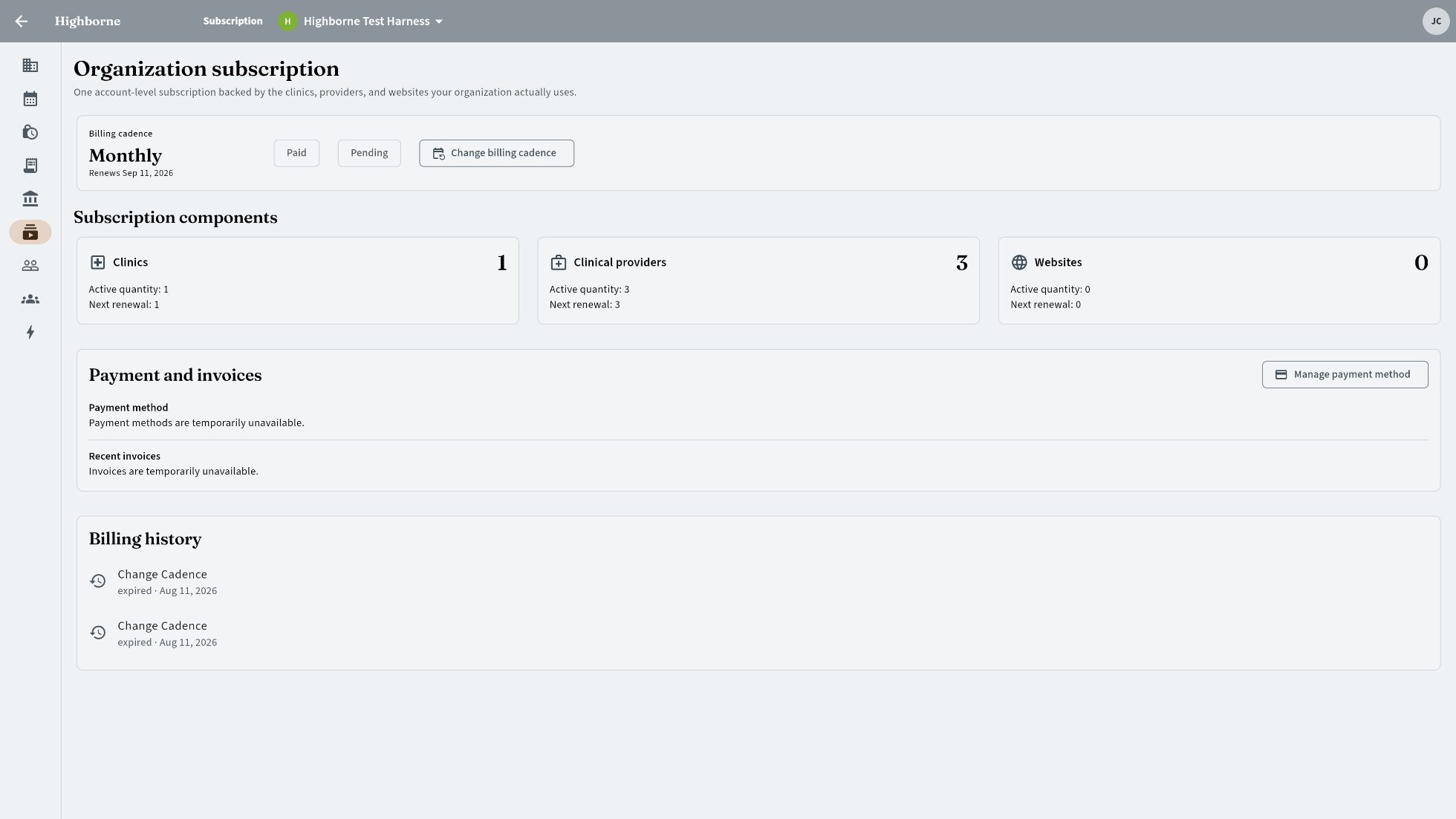
Your subscription, in the app — clinics, prescribers, websites; change cadence yourself. No account manager required.
Organization subscription: clinics, clinical providers, websites
YOUR SUBSCRIPTION — clinics · prescribers · websites, self-serve
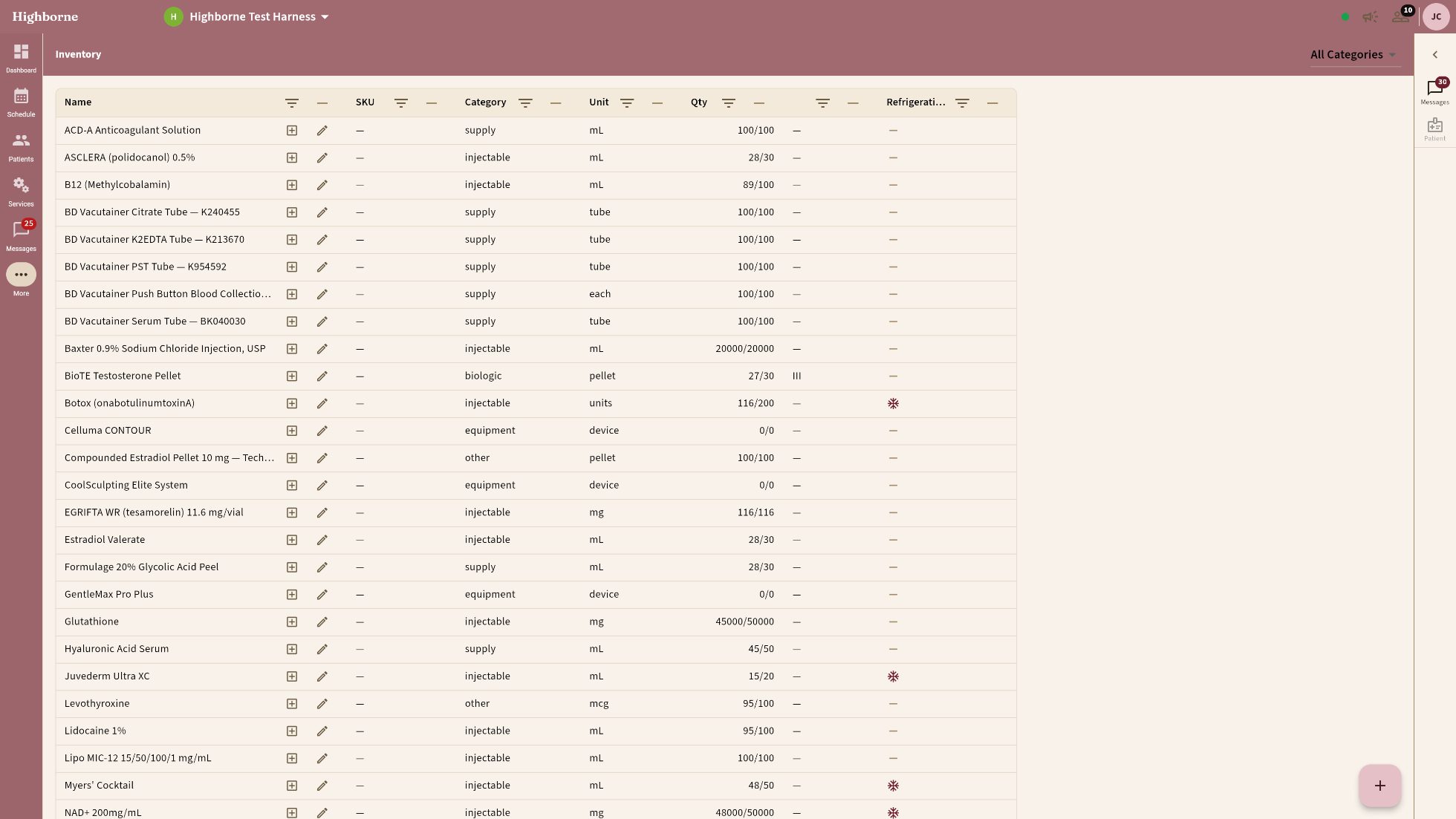
Inventory with lot-level quantities
INVENTORY — every product, every lot, quantities live
Growth

From ad click to booked visit —
inside one system.

Built-in website

Your website.
Built in. Always current.
Providers, services, and prices published from your clinic data — change a price once, the site already knows.
Booking widget on every page, straight into the schedule.
Blog, structured data, sitemaps — SEO baked in. Campaign-ready for Google and Facebook.
Brand and theme studio
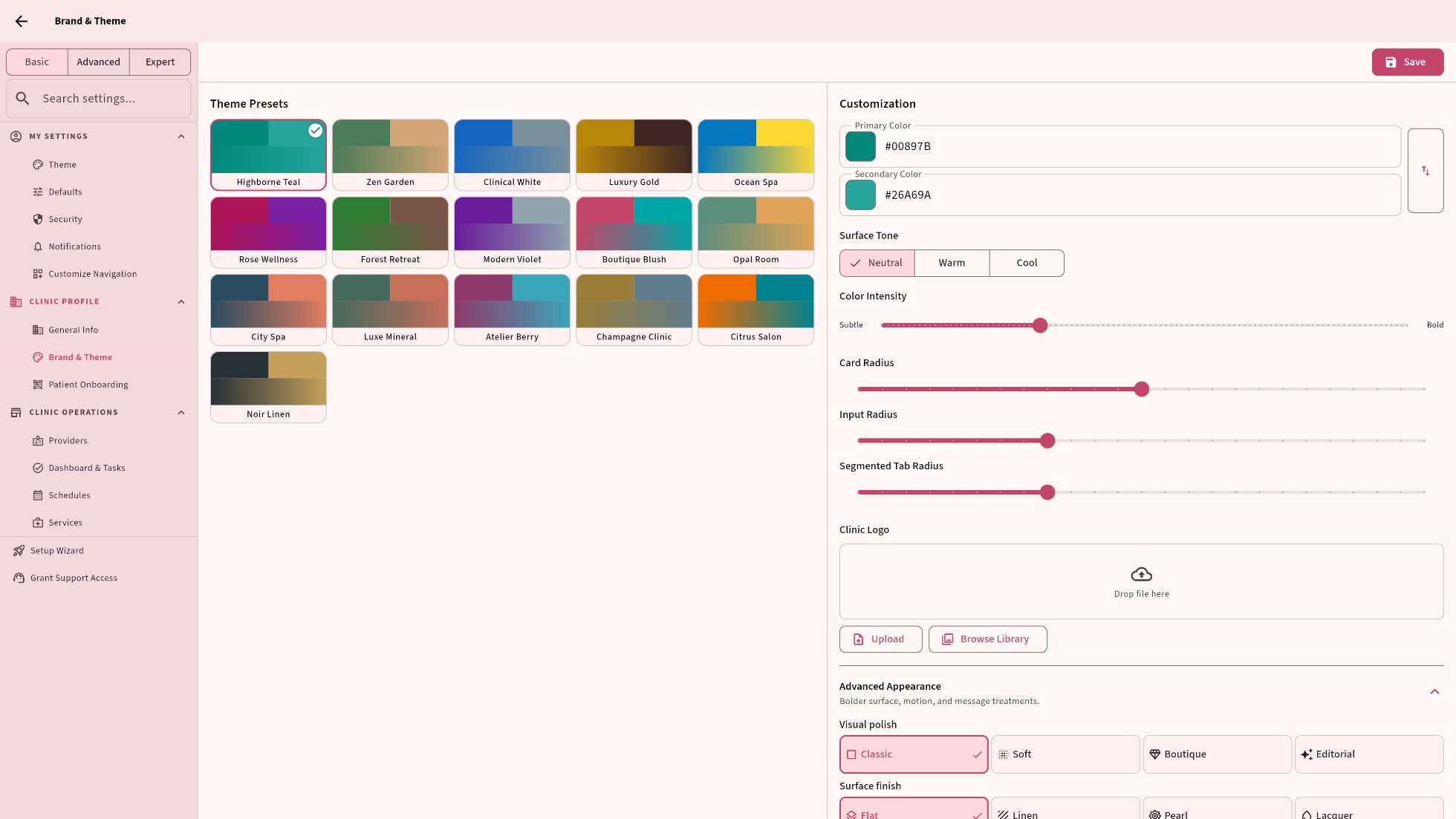
BRAND & THEME STUDIO — LIVE CAPTURE
Growth engine

Campaigns that already
know your patients.

The landing page, the widget, the CRM record, the booking: nothing is glued on.
Campaigns by cohort from real visit history — lapsed HRT patients, memberships expiring, birthdays this month — not an uploaded CSV.
Memberships and loyalty that renew themselves. Reviews requested at the happy moment.
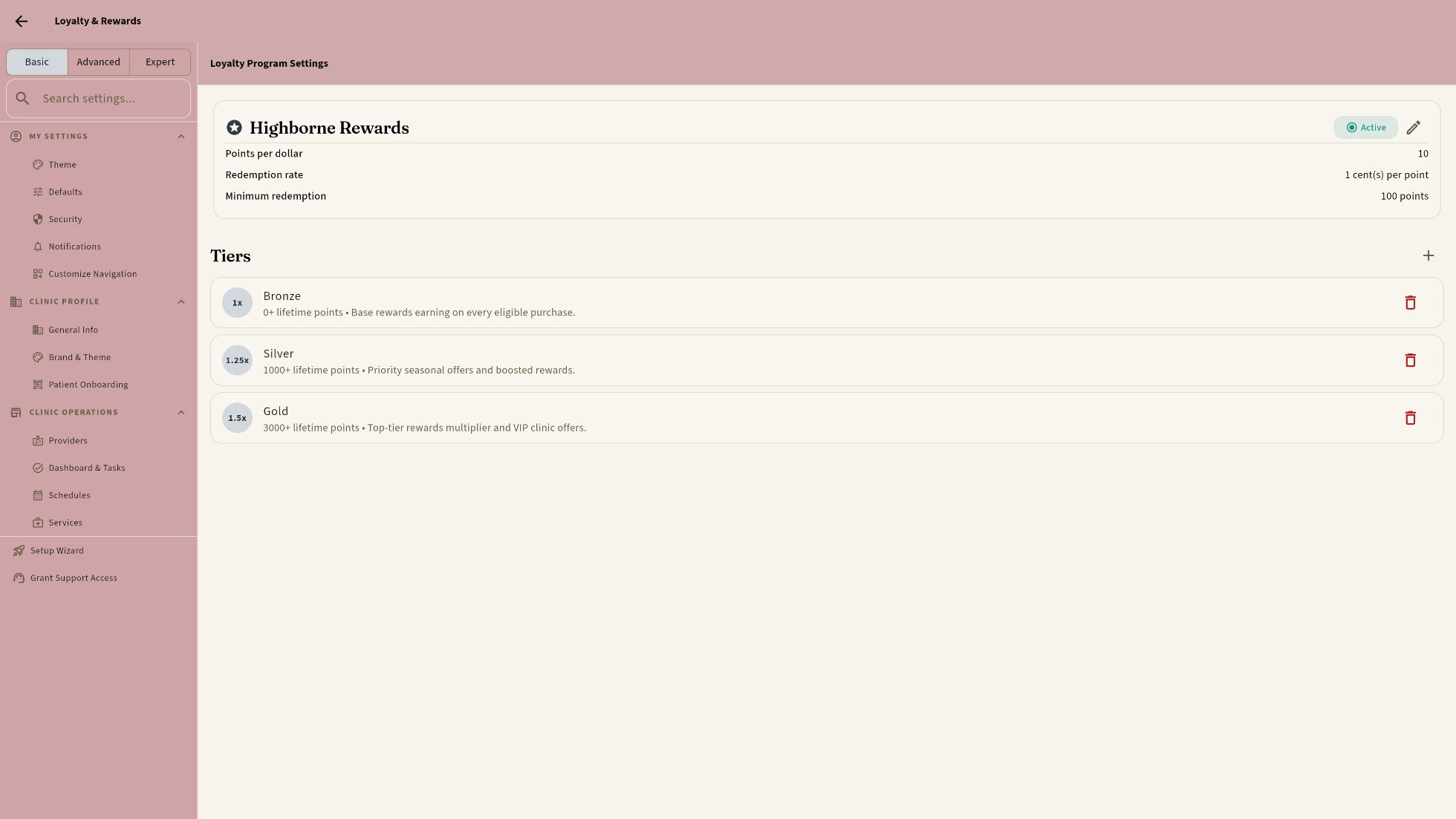
Loyalty program settings: points, redemption, and Bronze / Silver / Gold tiers
MEMBERSHIPS & LOYALTY · TIERS THAT RENEW THEMSELVES — LIVE CAPTURE
Brand & theme studio

Your clinic.
Your style. Your way.

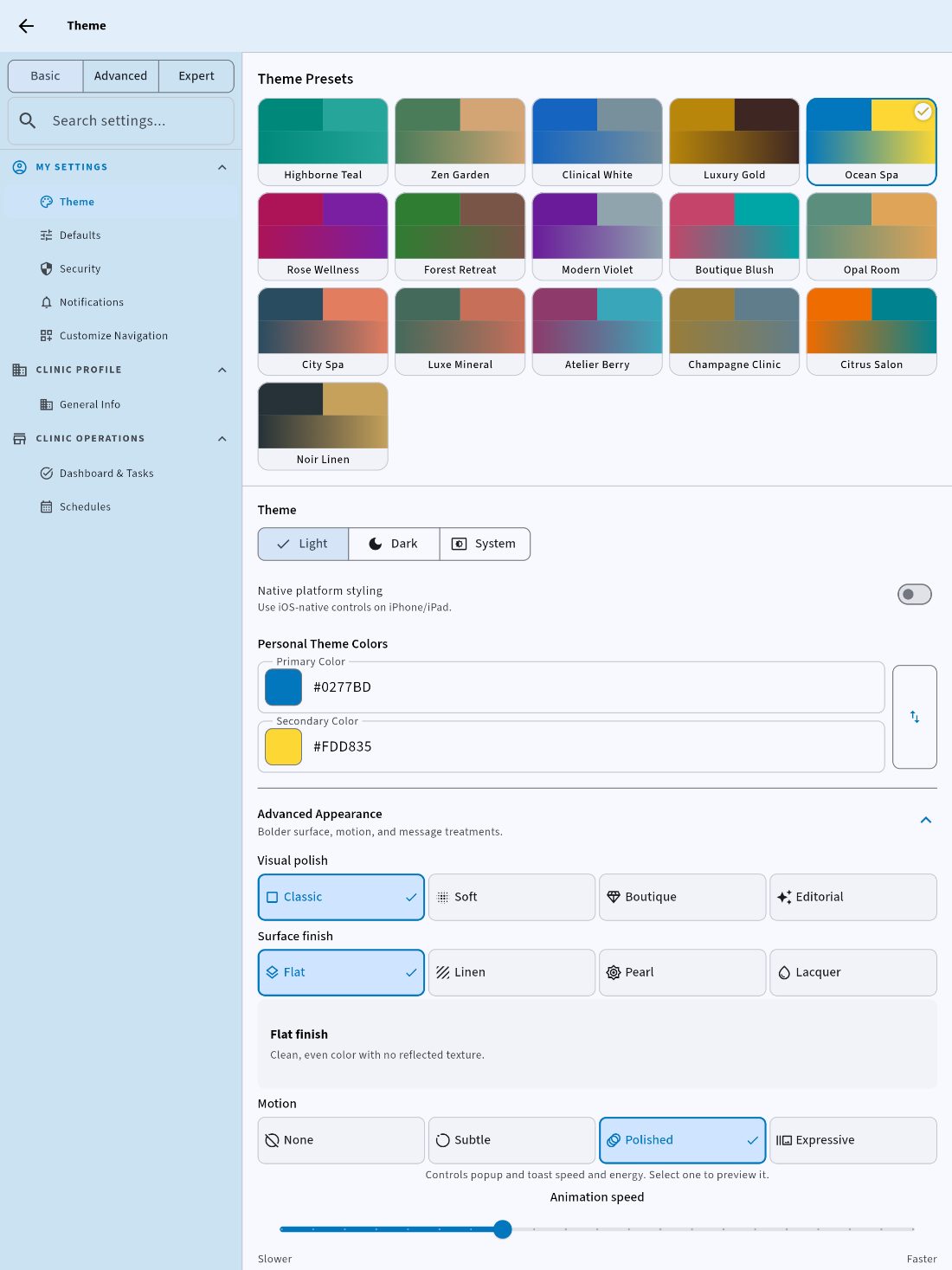
Thirty-three finished themes, or distill your own. Light or dark.
Radius, density, text size, surface finish, motion — from comfortable to intense. Drag the navigation wider, drag the rail to half the screen; it is your desk.
Basic, Advanced, Expert. Every screen opens at the setting most clinics choose; peel once for control, peel again for everything.
Highborne Teal
HIGHBORNE TEAL · DEFAULT
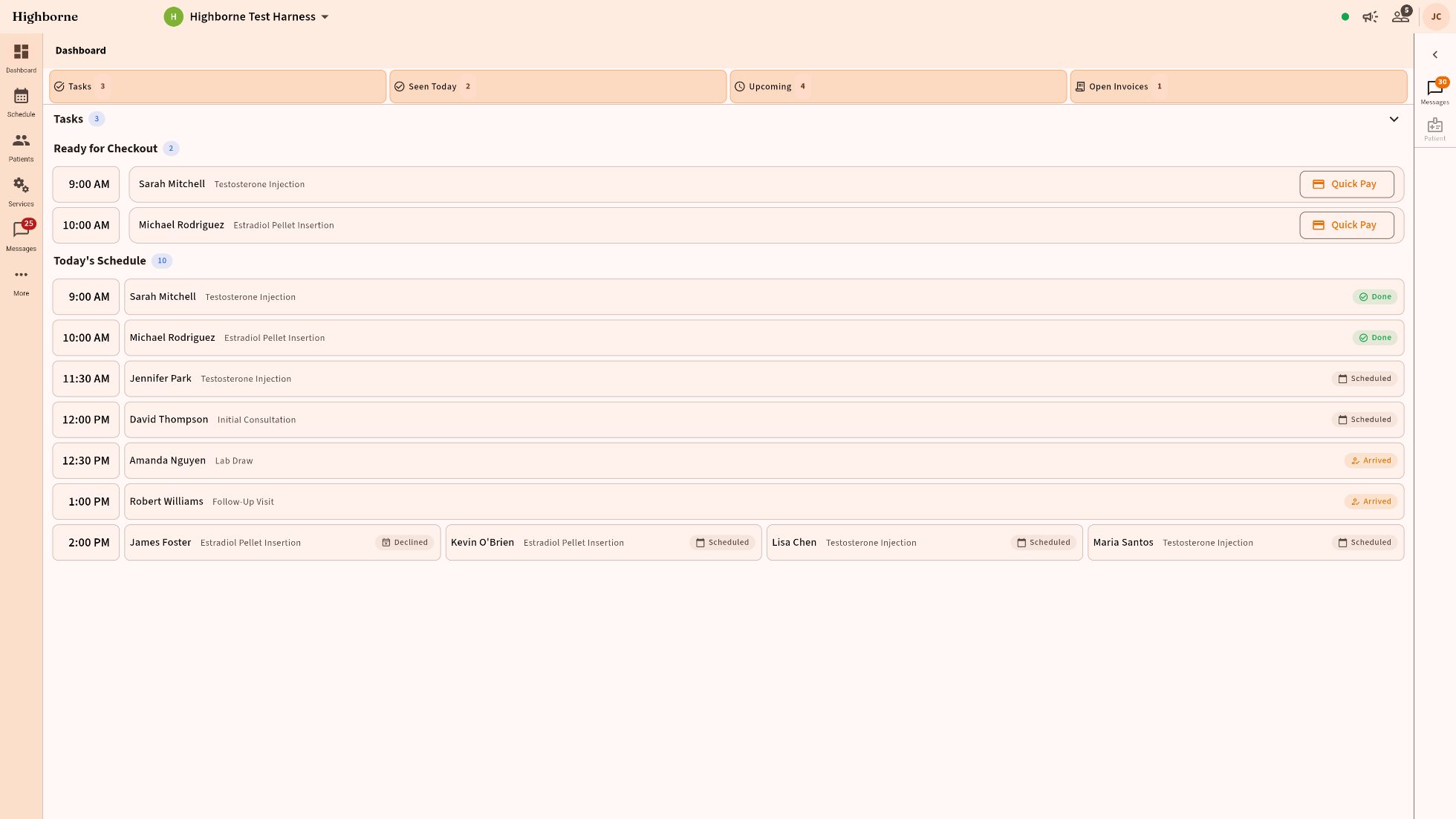
Boutique Blush, lacquered rounded controls
BOUTIQUE BLUSH · LACQUER · ROUNDED CONTROLS
Clinical White at compact density
CLINICAL WHITE · COMPACT · TEXT 0.85
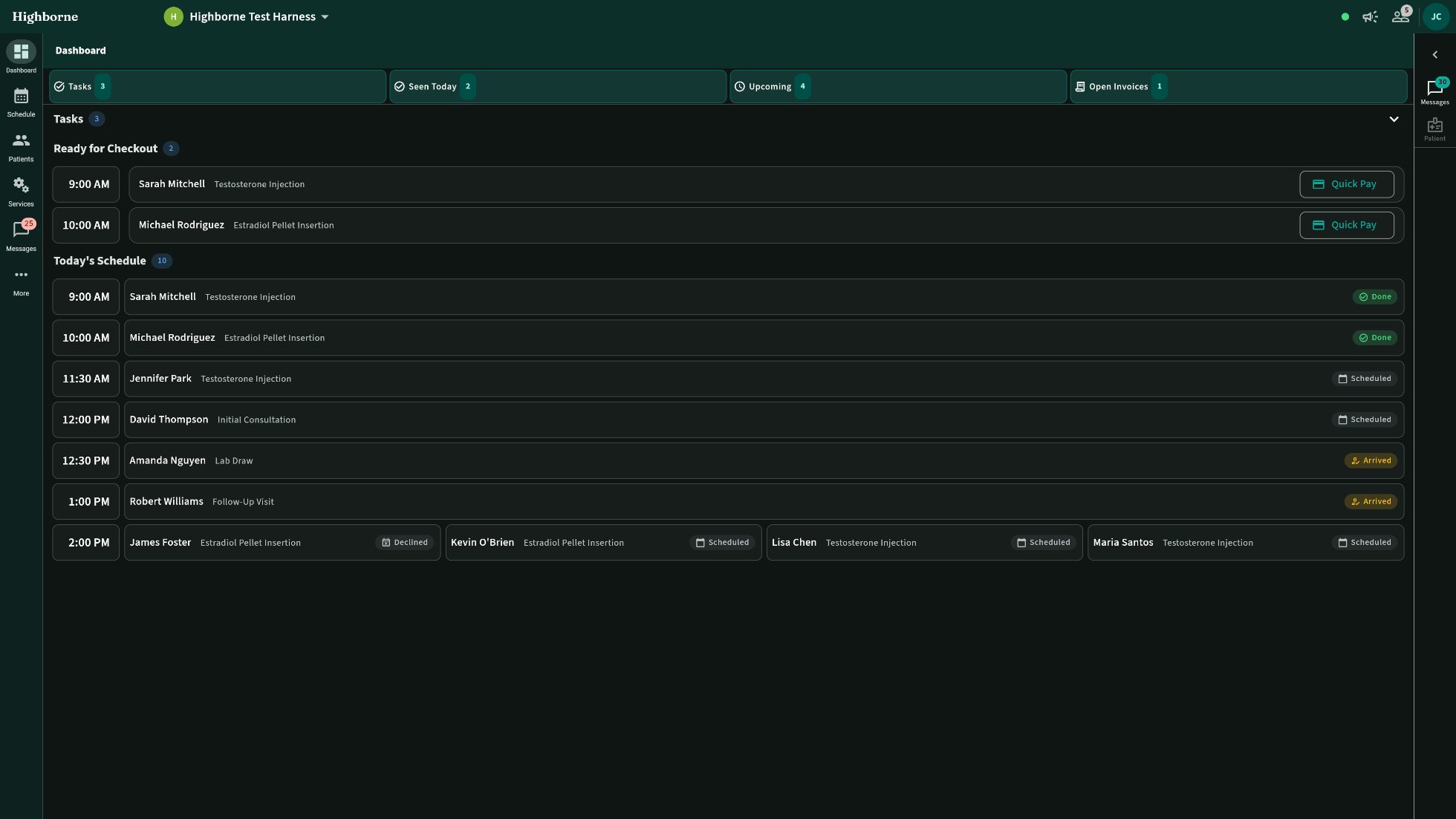
Noir Linen, dark, navigation expanded
NOIR LINEN · DARK · NAV EXPANDED
Ocean Spa with the Messages rail open
OCEAN SPA · MESSAGES RAIL OPEN
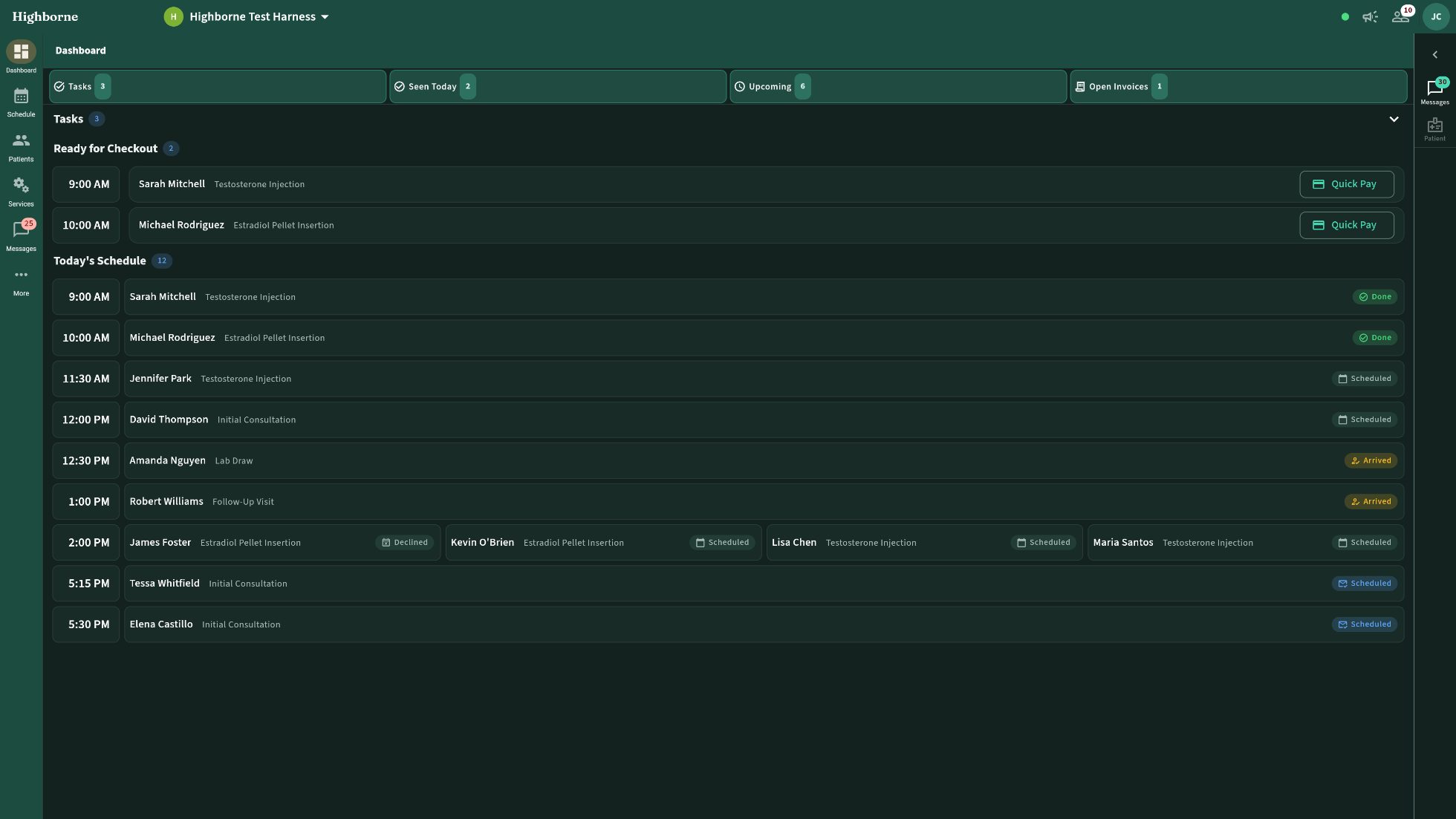
Forest Retreat, spacious, larger text, navigation expanded
FOREST RETREAT · SPACIOUS · TEXT 1.155 · NAV EXPANDED
Modern Violet, dark, lacquer
MODERN VIOLET · DARK · LACQUER
Luxury Gold with the Messages rail dragged to its maximum
LUXURY GOLD · MESSAGES RAIL AT MAX
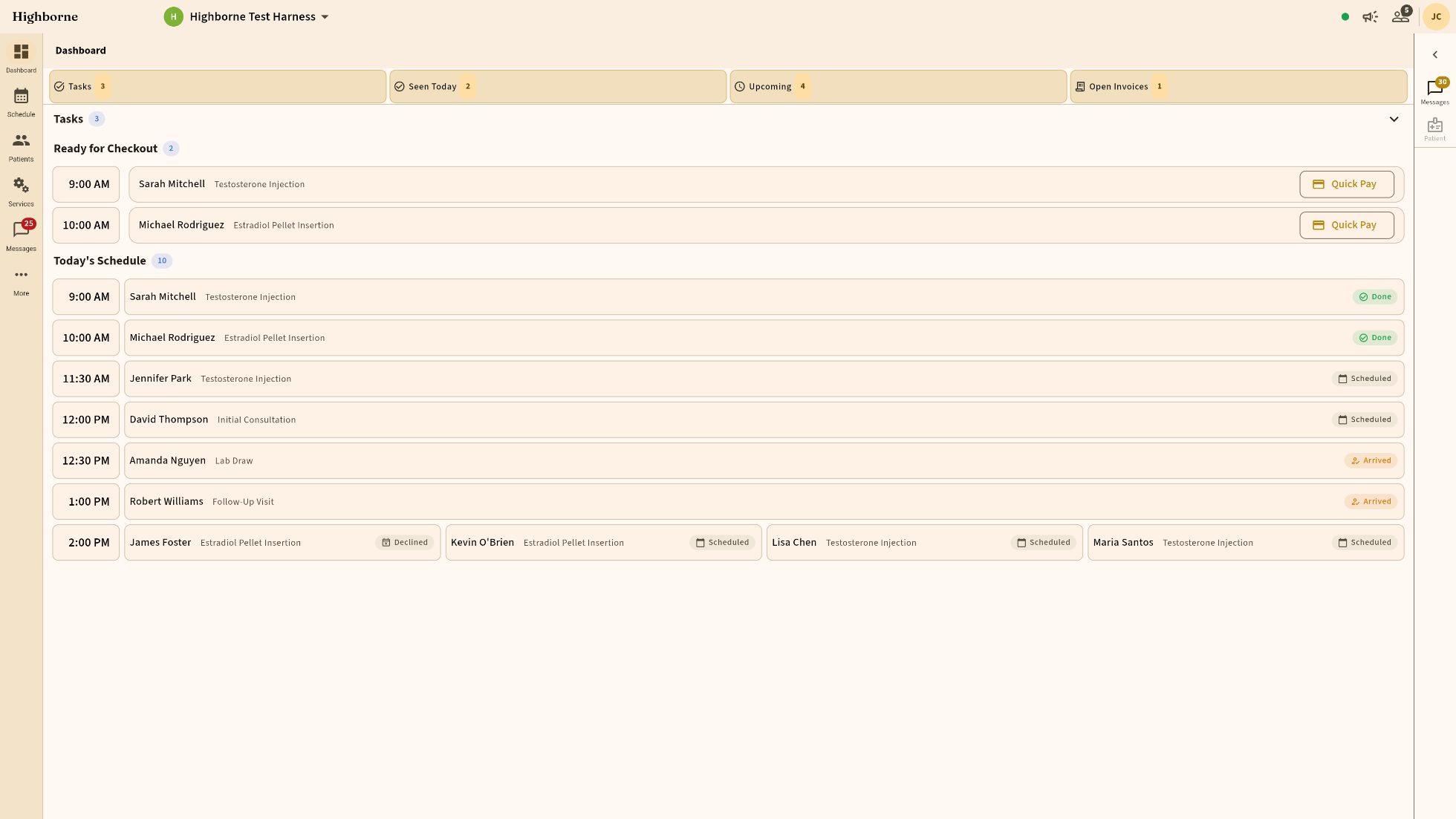
Champagne Clinic, comfortable density
CHAMPAGNE CLINIC · COMFORTABLE · TEXT 1.155
Citrus Salon, navigation expanded, Messages rail
CITRUS SALON · NAV EXPANDED · MESSAGES RAIL
Highborne Teal, dark, ultra-compact
HIGHBORNE TEAL · DARK · ULTRA-COMPACT · TEXT 0.85
Emerald and Brass, navigation expanded, Messages rail
EMERALD & BRASS · NAV EXPANDED · MESSAGES RAIL
Emerald and Brass, dark
EMERALD & BRASS · DARK
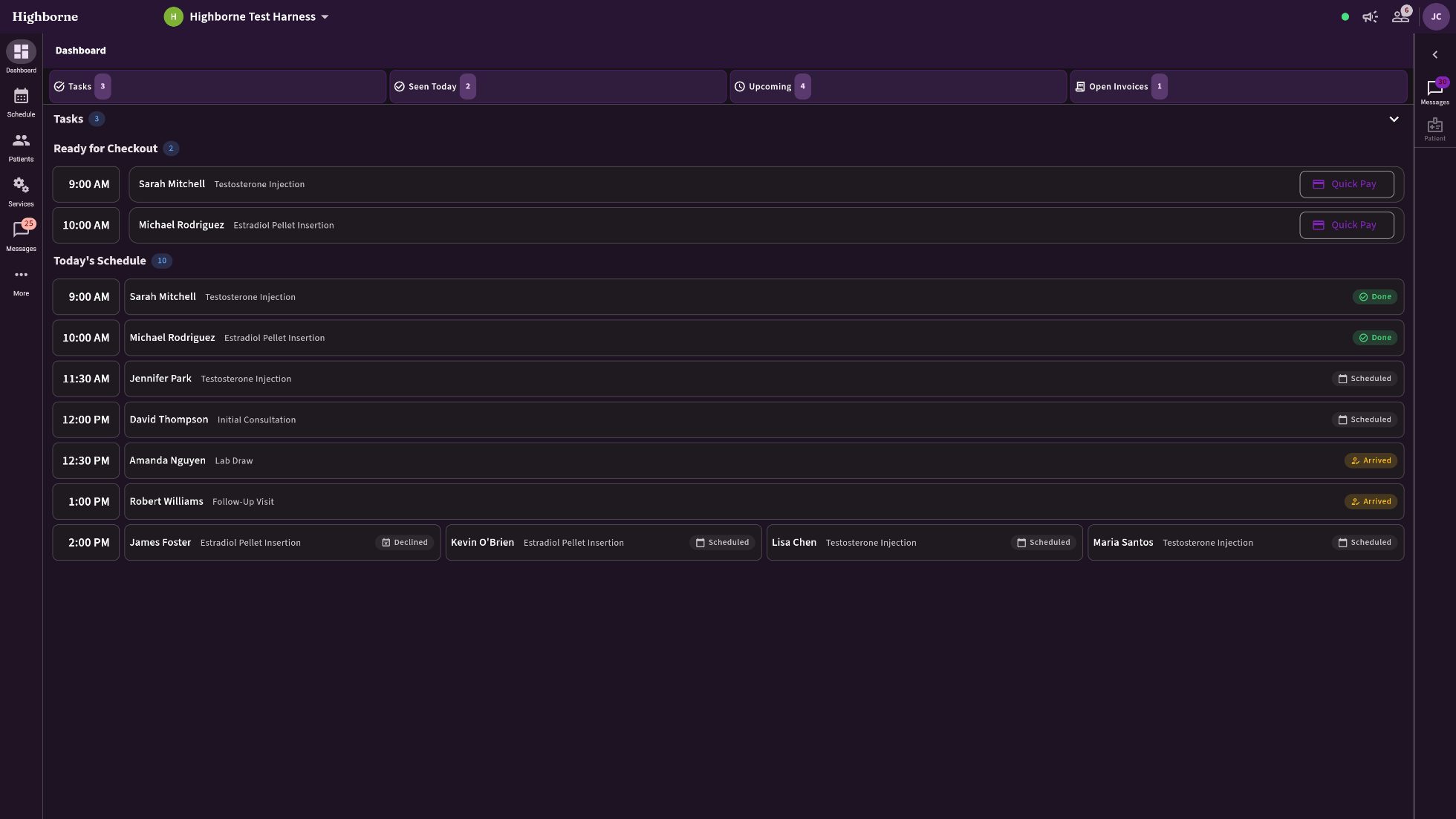
Midnight Plum, dark, lacquer
MIDNIGHT PLUM · DARK · LACQUER
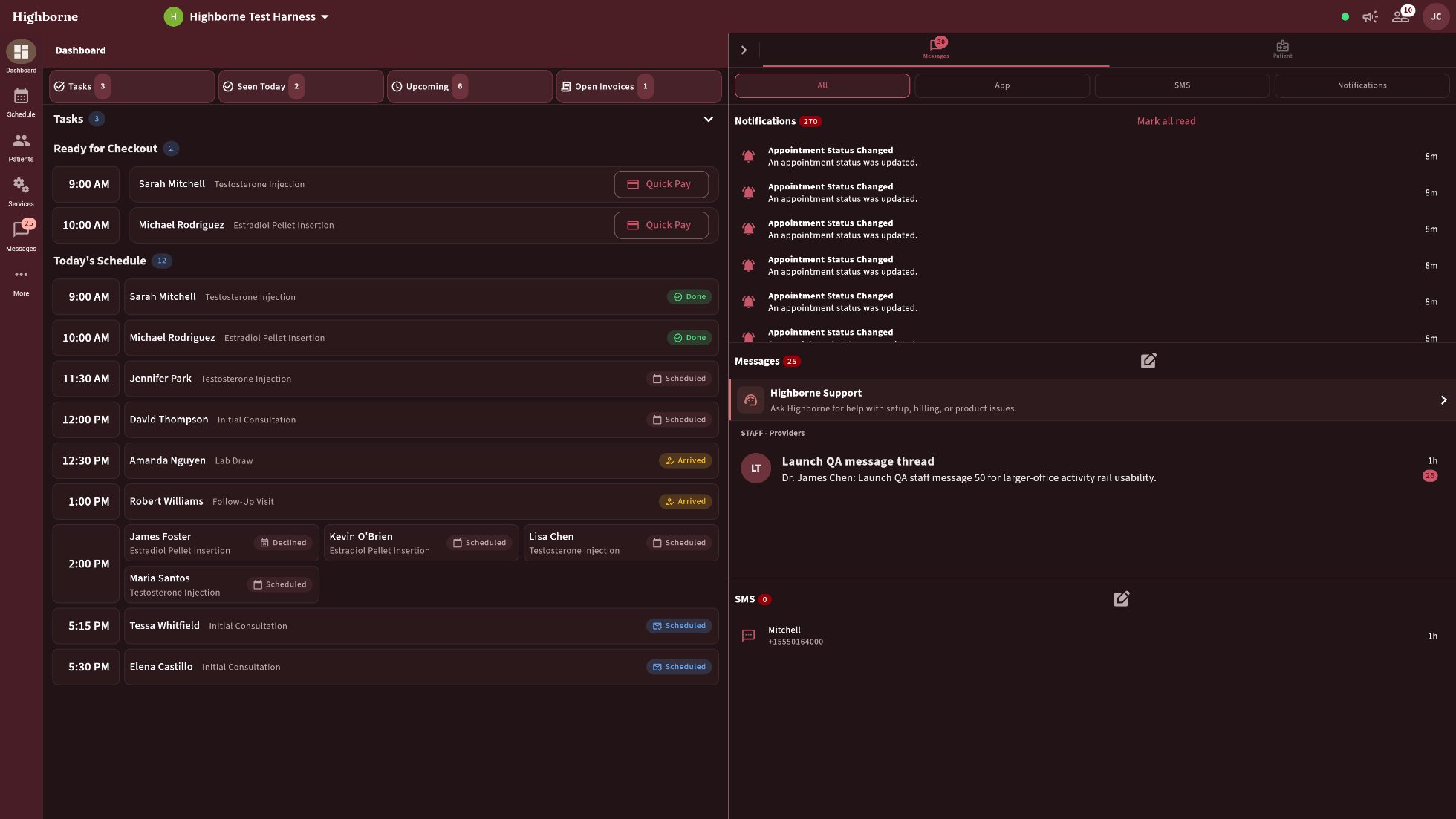
Cabernet and Oak, dark, Messages rail at maximum
CABERNET & OAK · DARK · MESSAGES RAIL AT MAX
Ink and Coral, compact, navigation expanded
INK & CORAL · COMPACT · NAV EXPANDED
Sage and Terracotta, spacious, large text
SAGE & TERRACOTTA · SPACIOUS · TEXT 1.3
Travertine and Sage, dark, Messages rail open
TRAVERTINE & SAGE · DARK · MESSAGES RAIL · INTERIORS
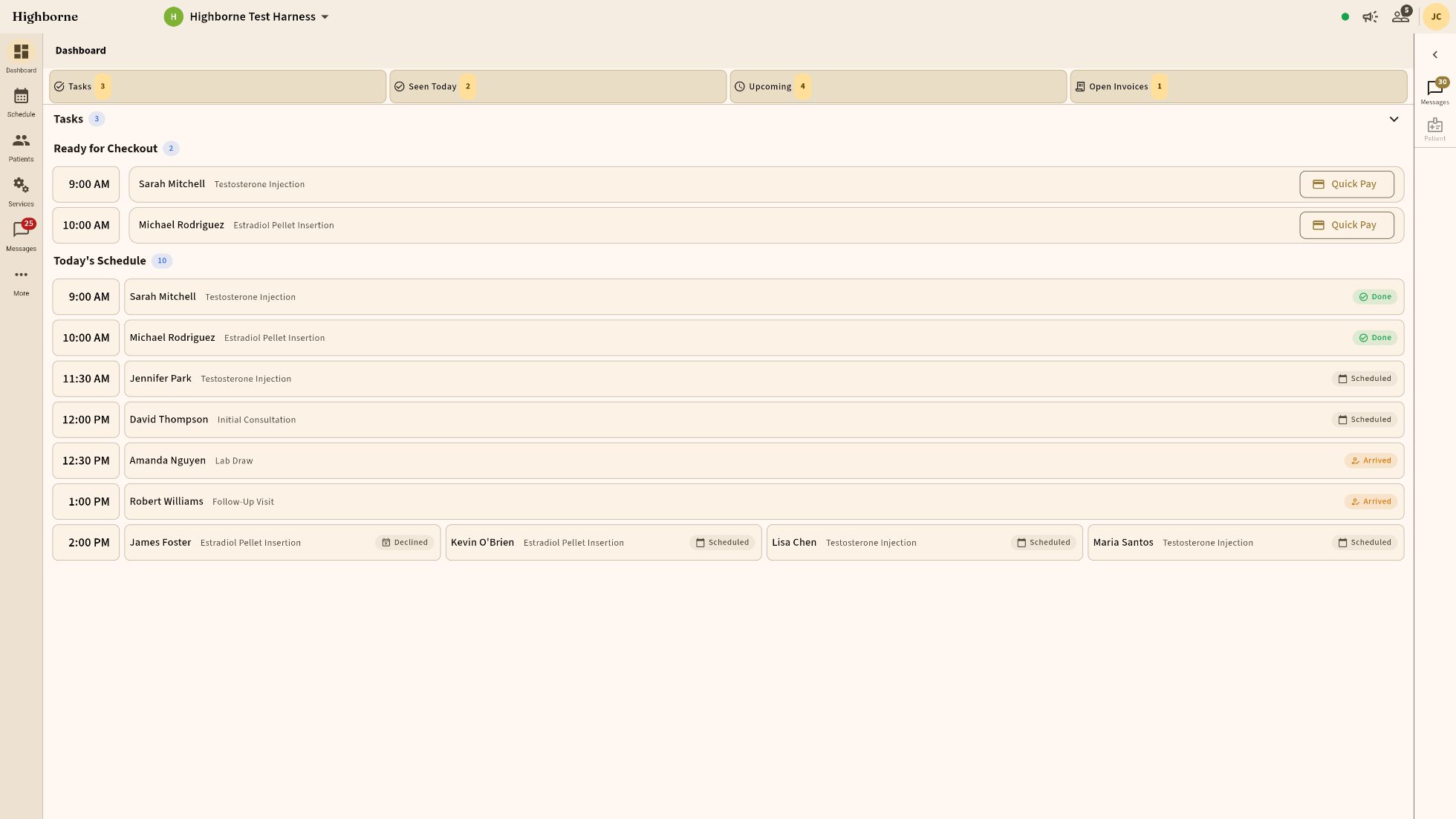
Terracotta and Sand, rounded controls
TERRACOTTA & SAND · ROUNDED CONTROLS · INTERIORS
Walnut and Cream, comfortable, navigation expanded
WALNUT & CREAM · COMFORTABLE · NAV EXPANDED · INTERIORS
Lavender and Stone, larger text, Messages rail
LAVENDER & STONE · TEXT 1.15 · MESSAGES RAIL · INTERIORS
Linen and Eucalyptus, dark, ultra-compact
LINEN & EUCALYPTUS · DARK · ULTRA-COMPACT · INTERIORS
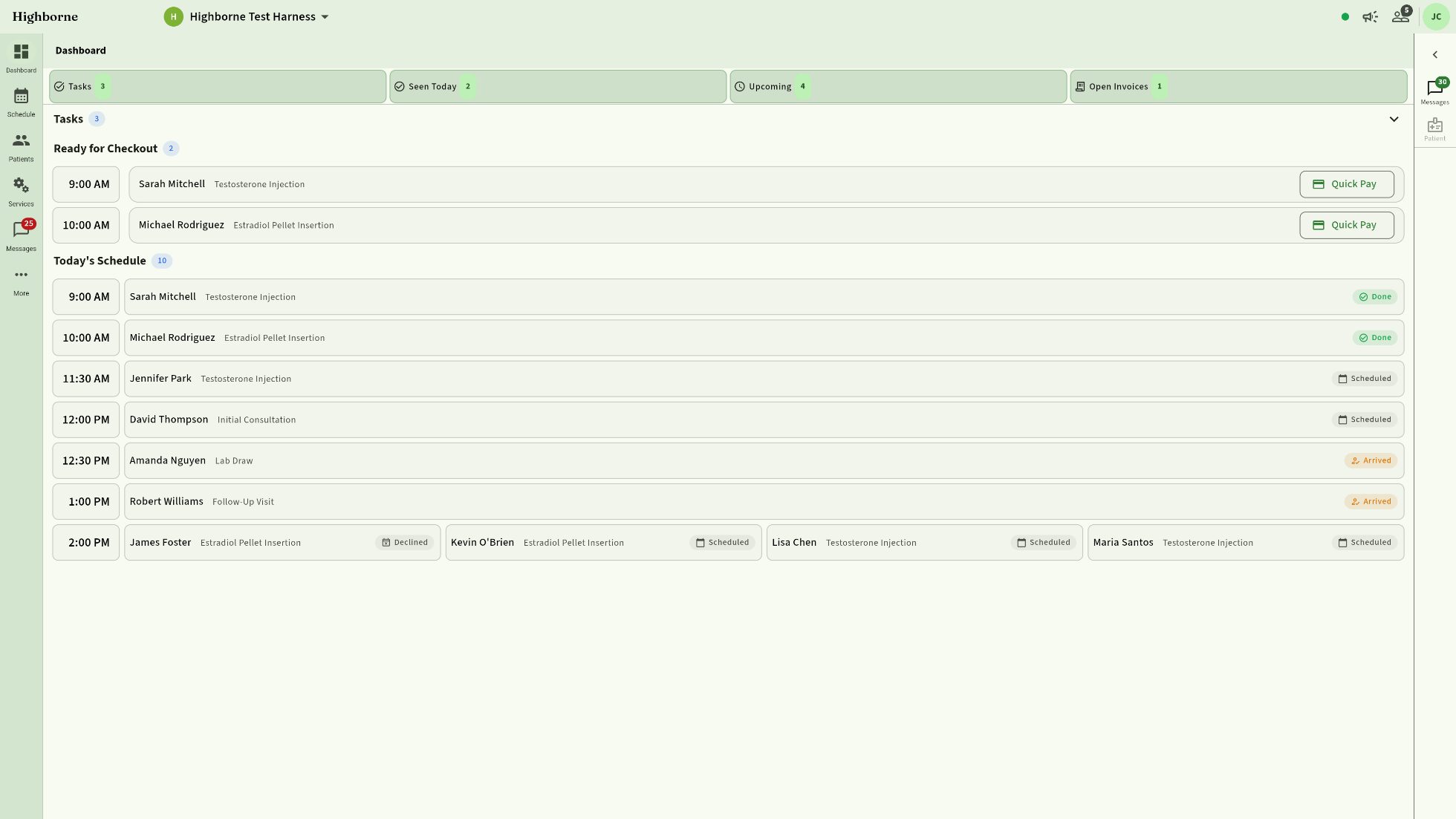
TWENTY-TWO OF THIRTY-THREE · ALL LIVE CAPTURES · EACH A DIFFERENT DENSITY, TEXT SIZE OR LAYOUT
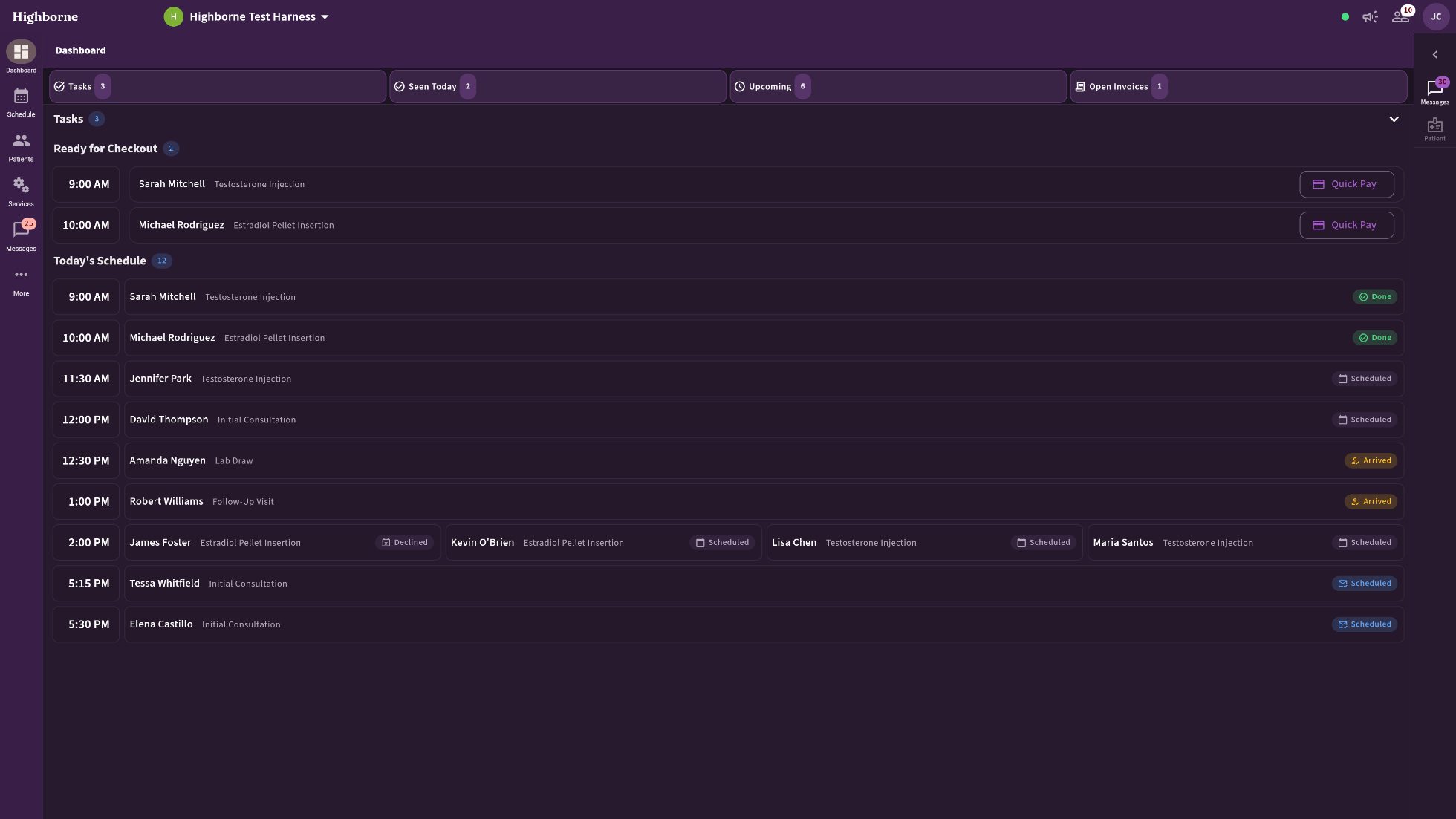
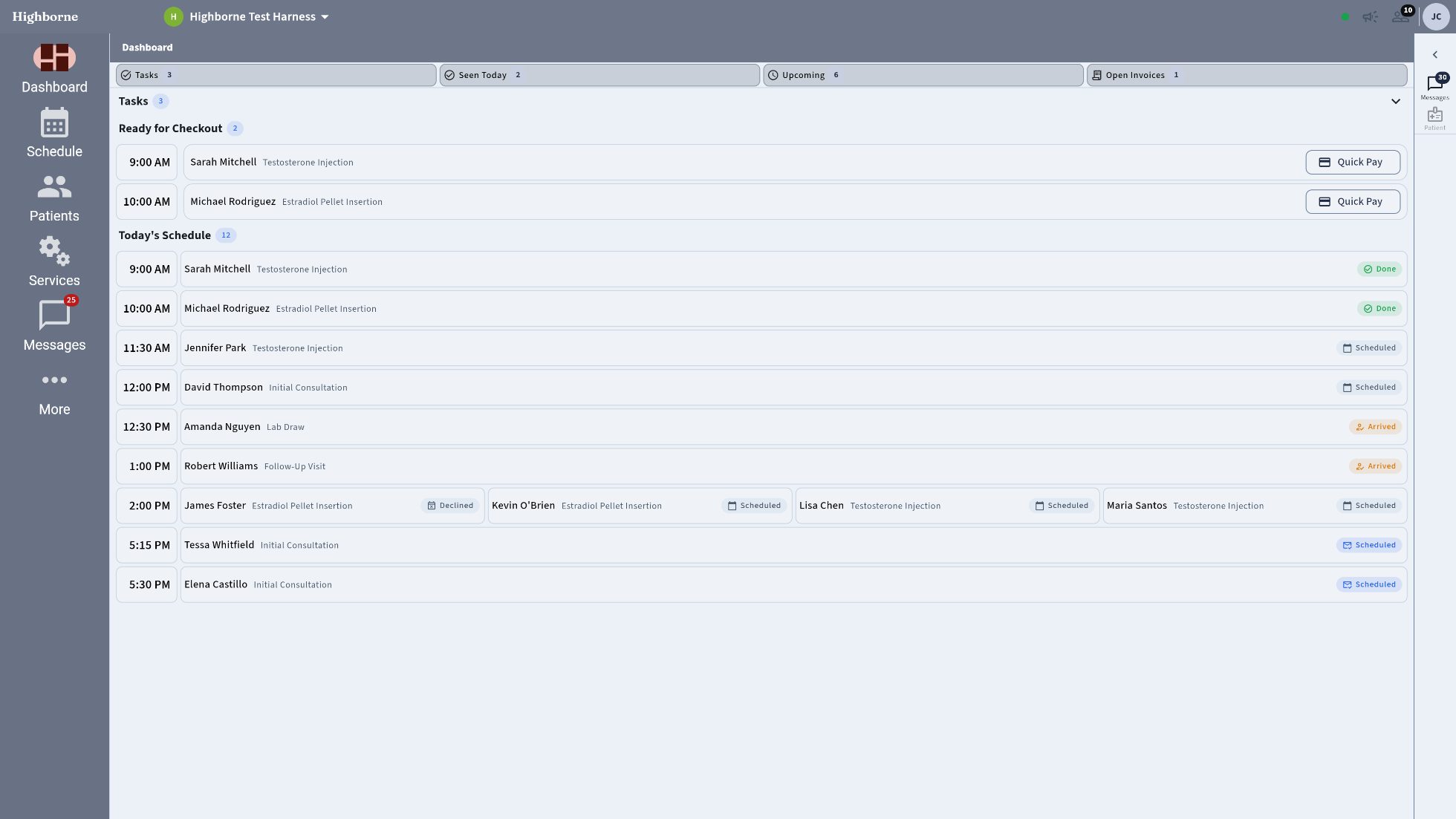
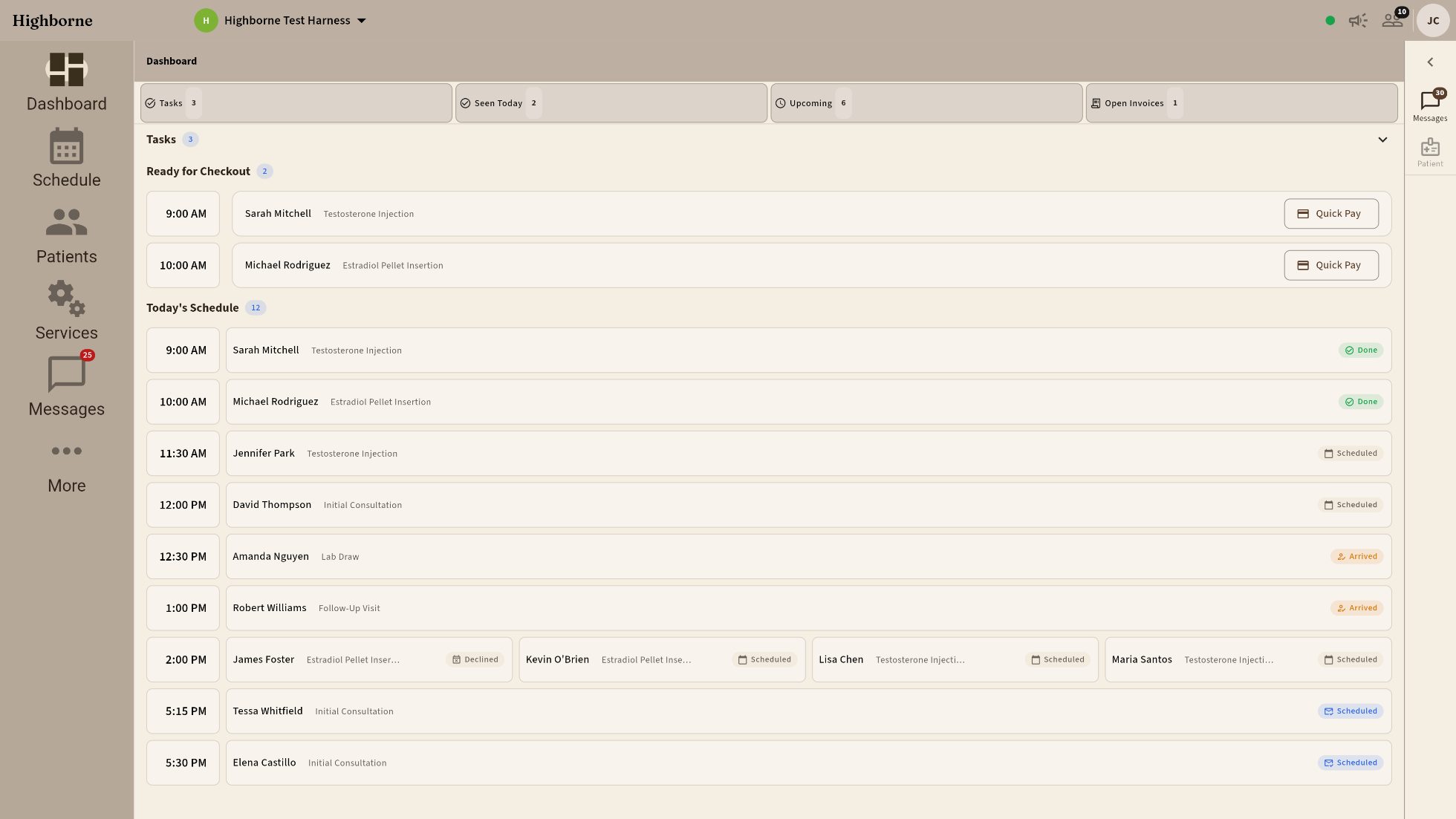
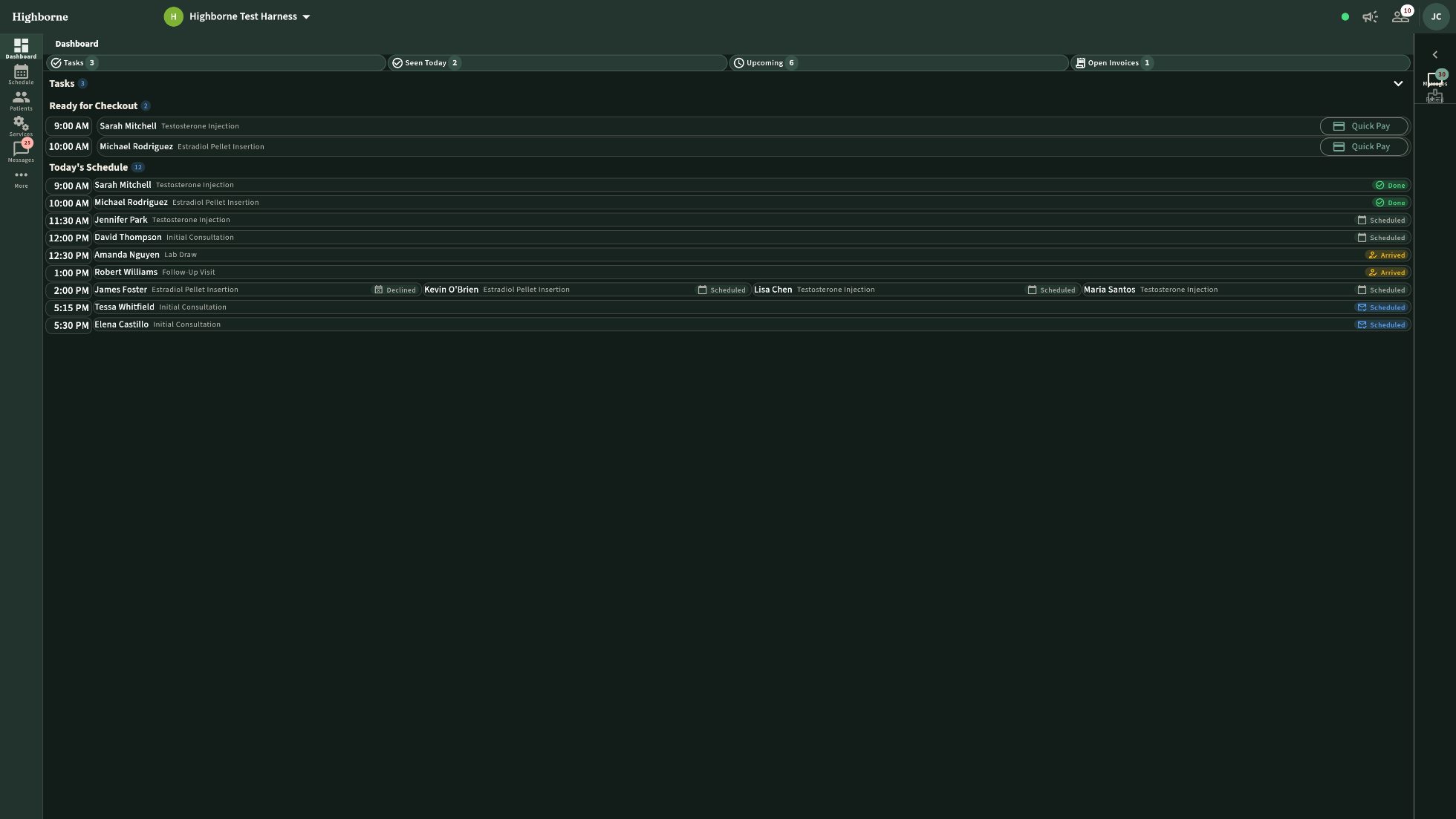
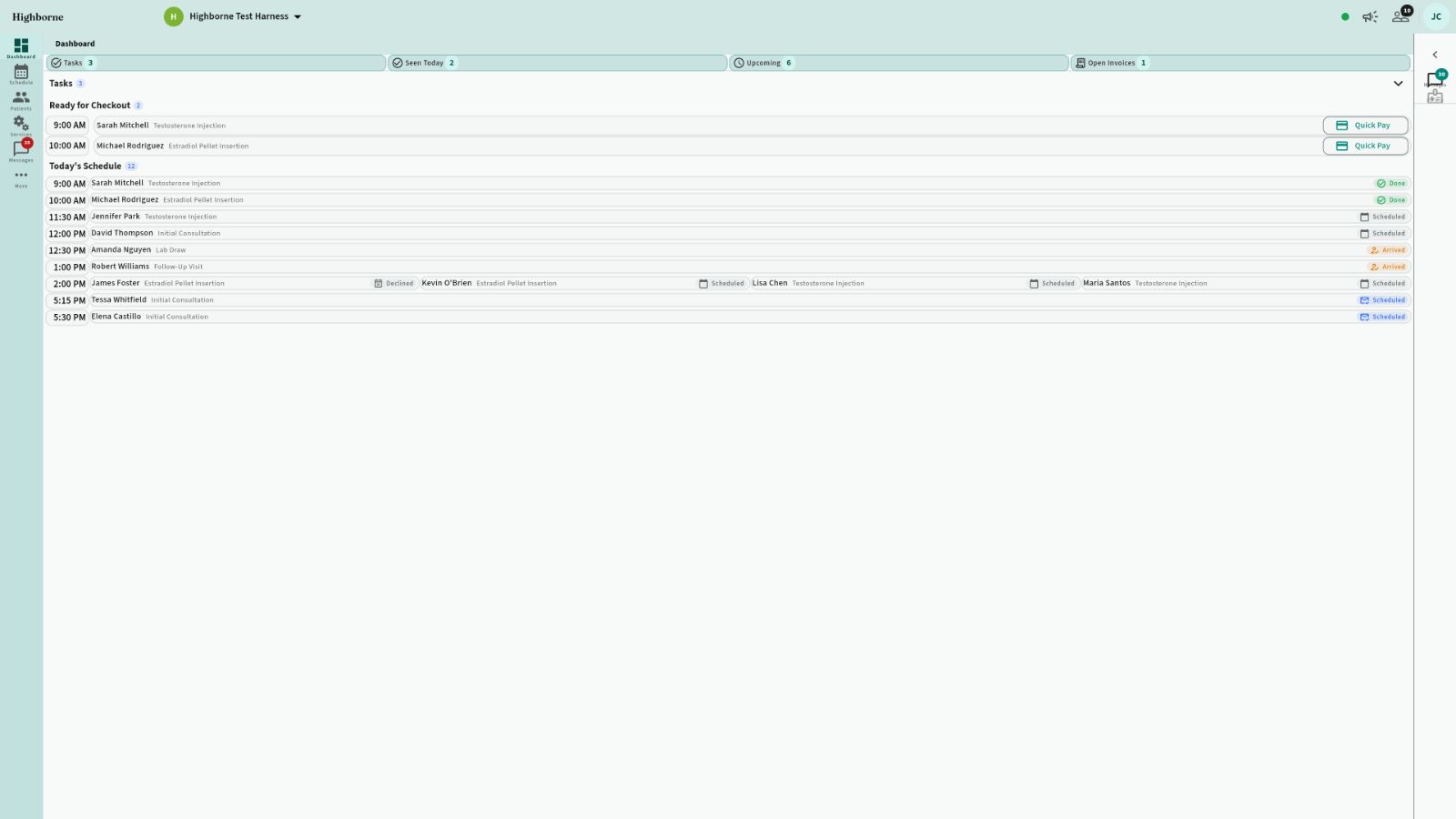
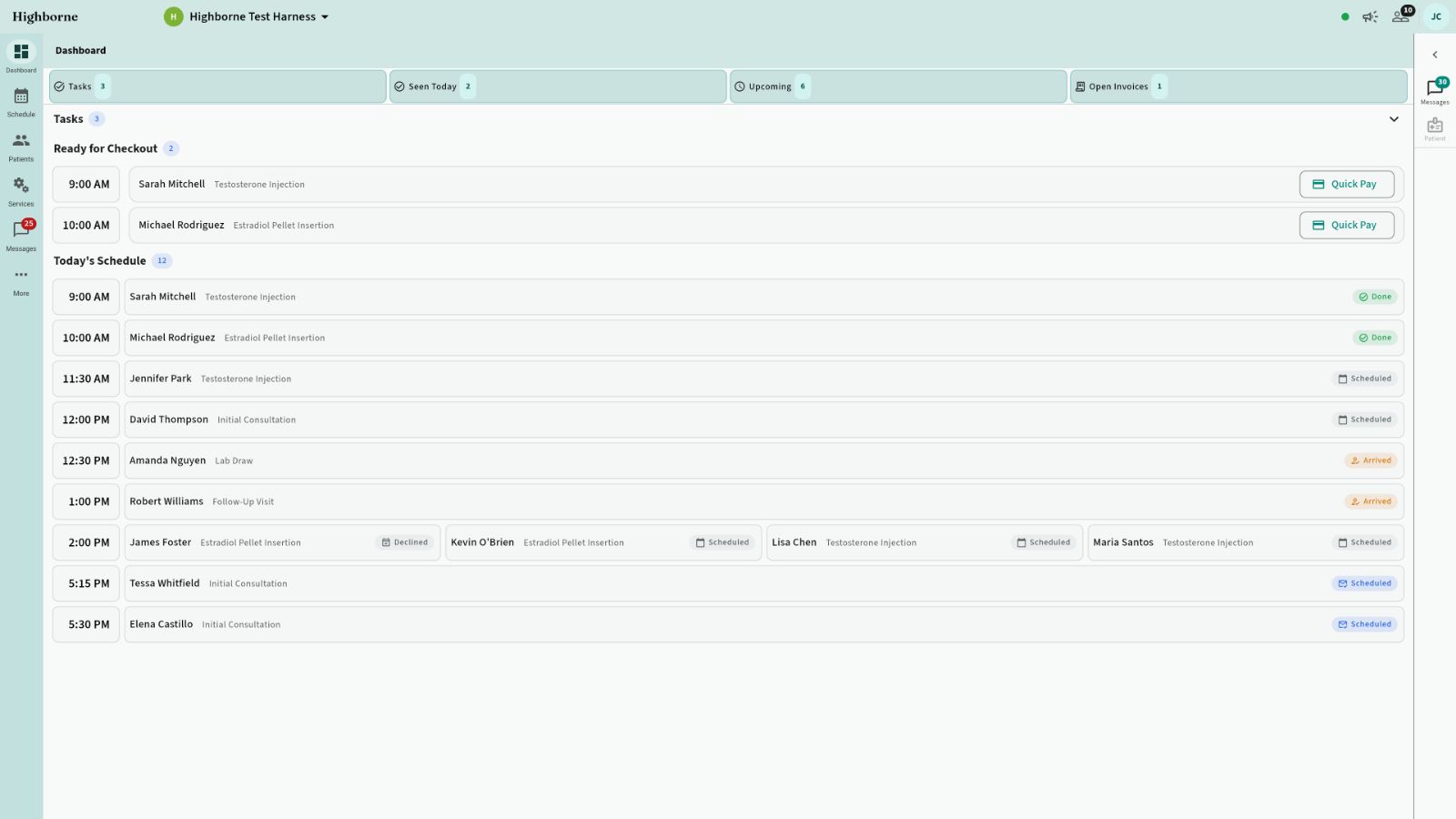
The dashboard at ultra-compact density and small text
ULTRA-COMPACT · TEXT 0.78 — tiny and compressed, the whole day on one screen
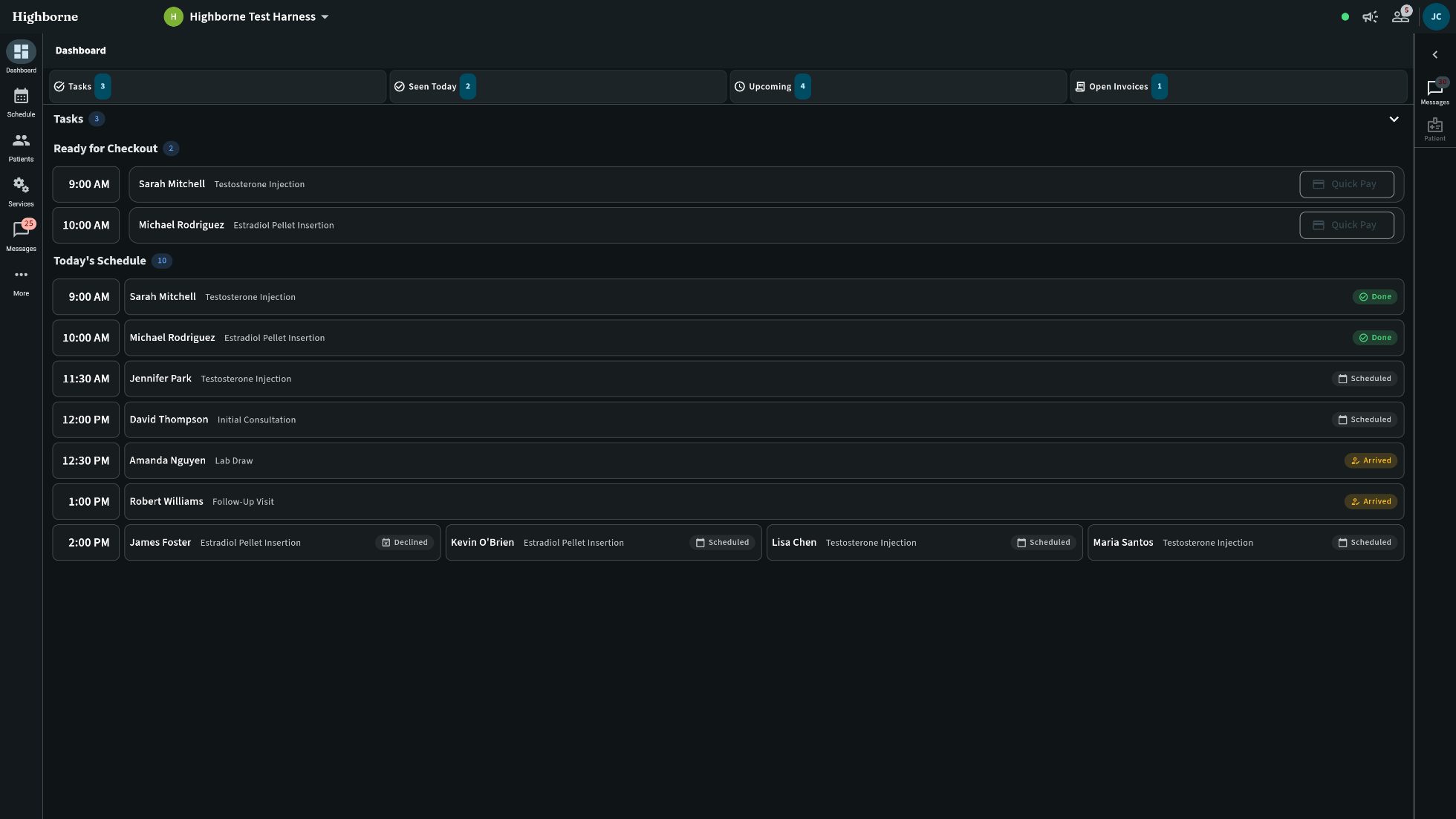
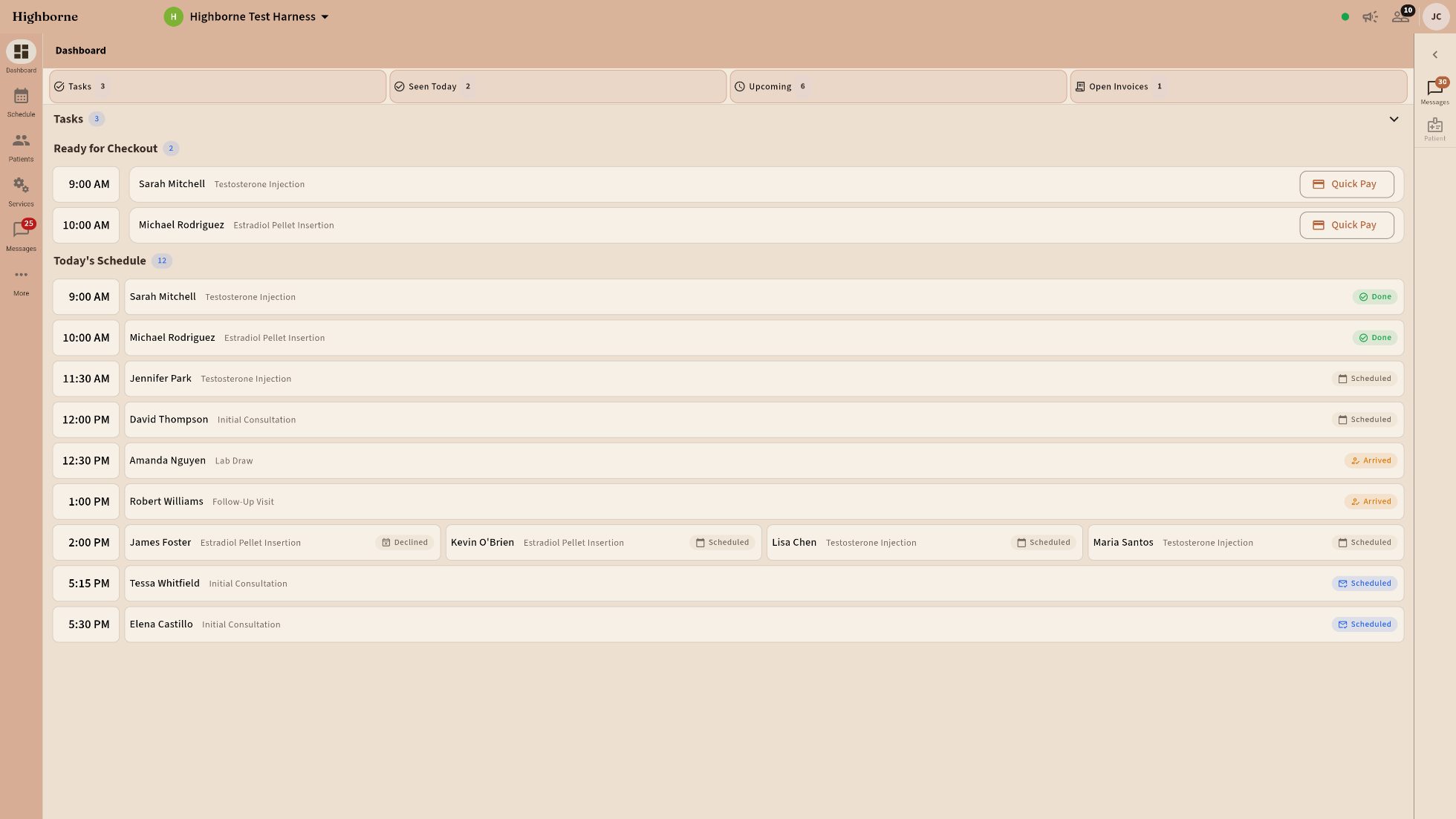
The dashboard at standard density
STANDARD — the default
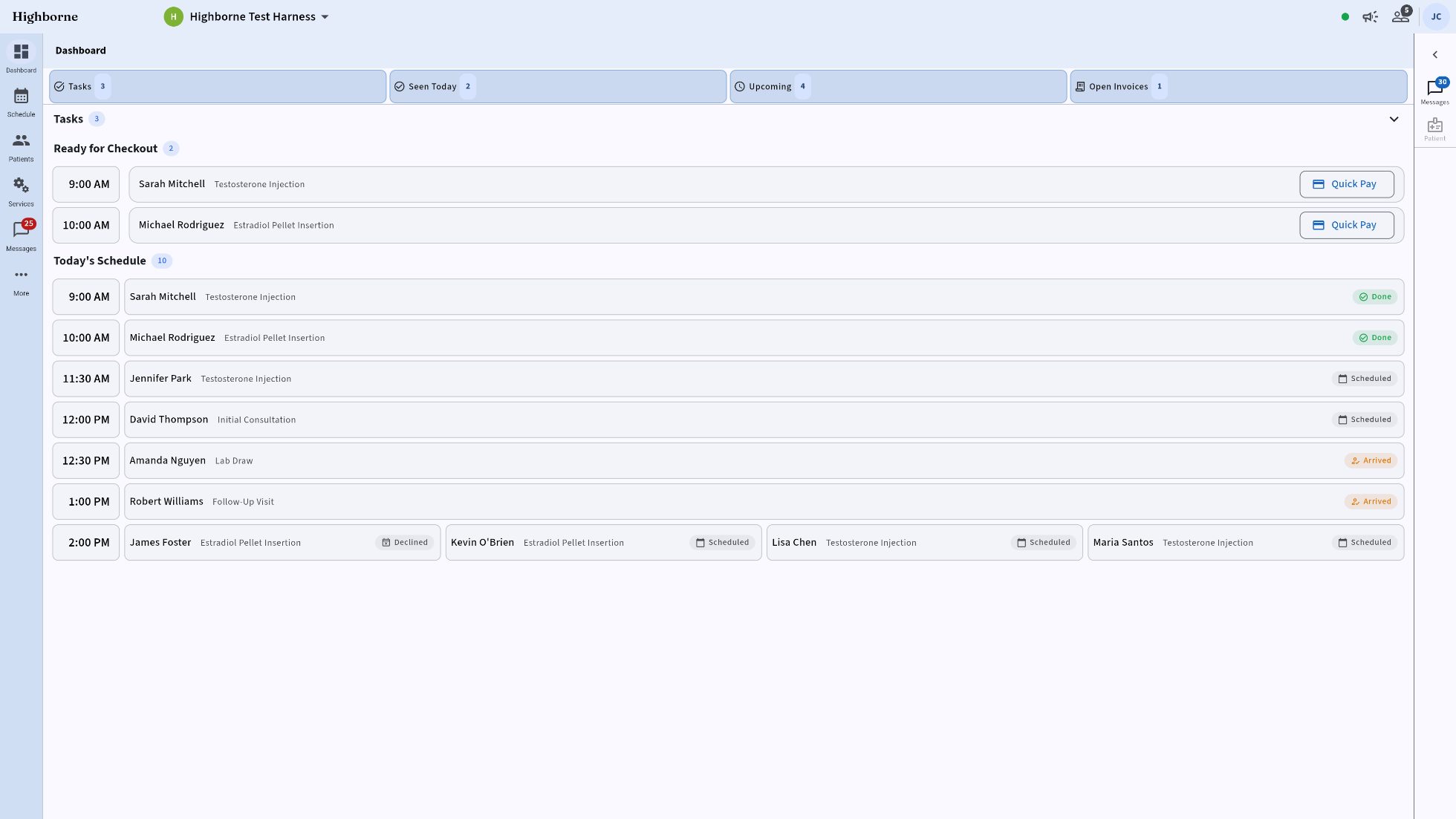
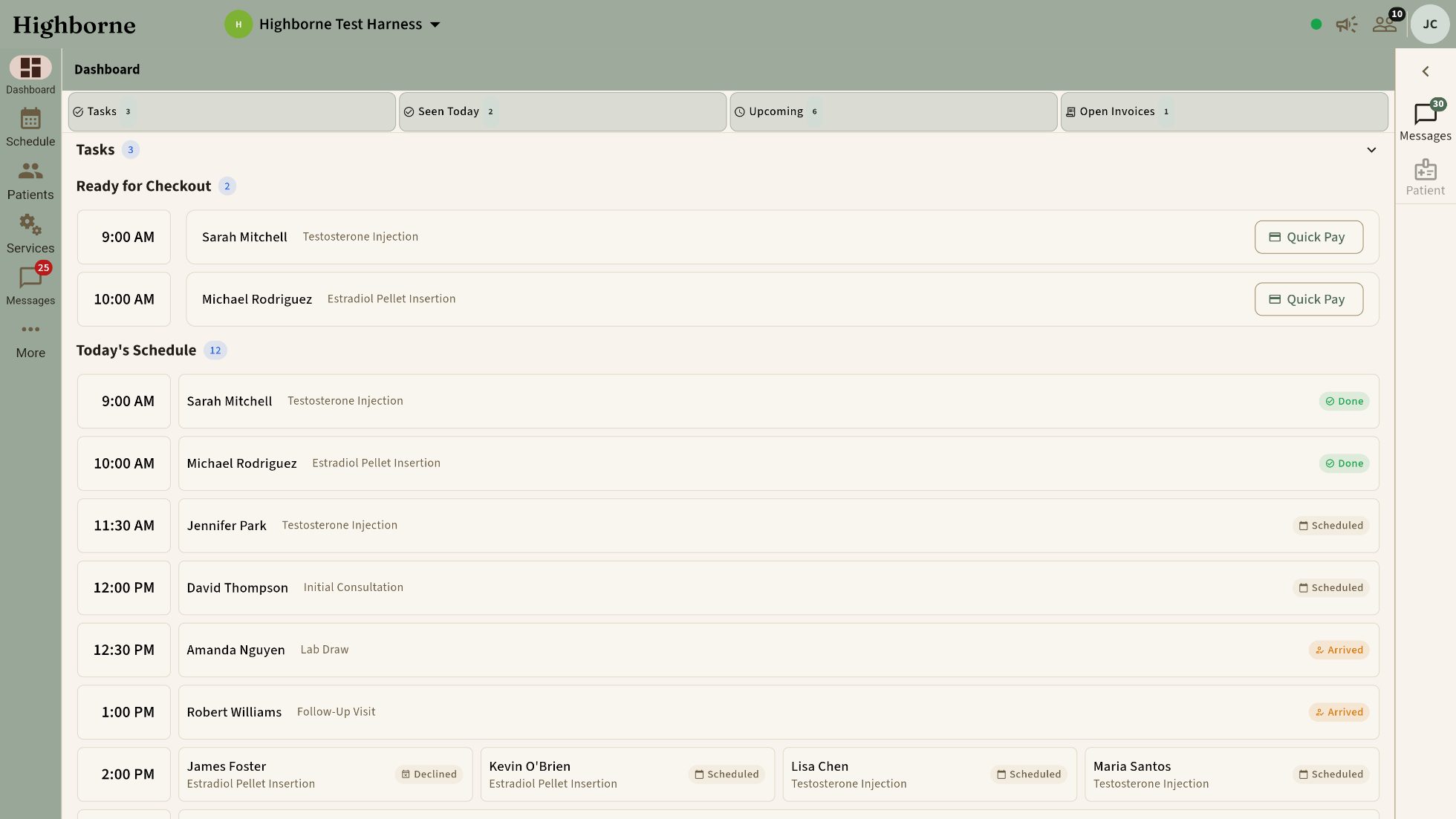
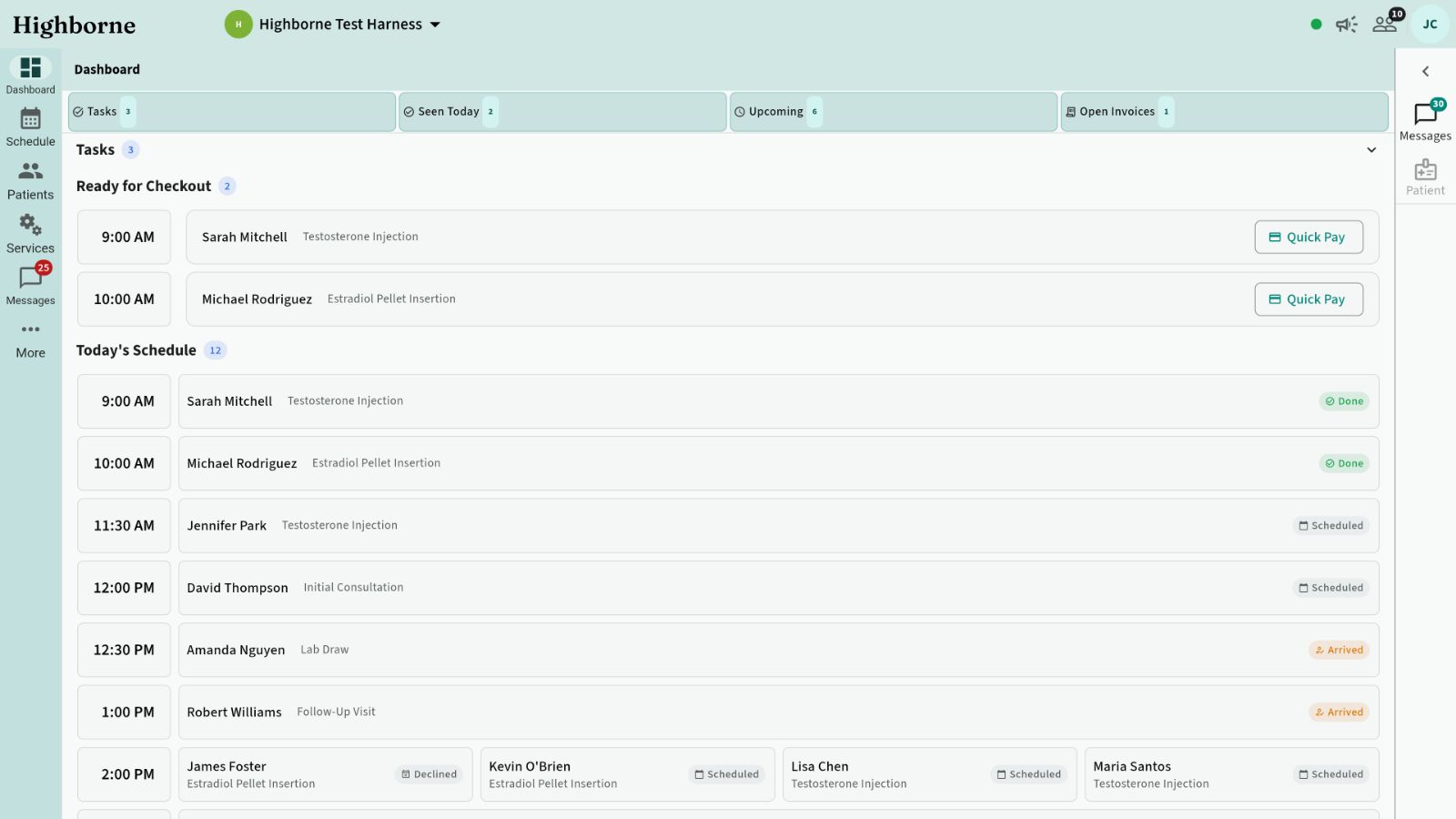
The dashboard at spacious density and large text
SPACIOUS · TEXT 1.3 — large and roomy, the same day
Any platform

The experience you already
expect from software.

Instant in any browser today. Native on Windows, macOS, iOS, and Android — built, working, and coming soon: side-load first, then the stores. The same clinic, the same theme, the same shortcuts — desktop, tablet, phone.

Web — available now Windows — coming soon macOS — coming soon iOS — coming soon Android — coming soon
Highborne on desktop
Highborne on a tablet
Highborne on a phone
Compliance

Built for scrutiny.

Compliance isn’t a PDF here — it’s the data model.
Signed notes are immutable. Template version, signer, timestamp — snapshotted. Corrections are addenda, never edits.
Consent is enforced, not suggested. Treatments fail closed without valid consent; renewals prompt automatically.
Lot-level custody. Every vial decrements atomically; preflight failures block the treatment.
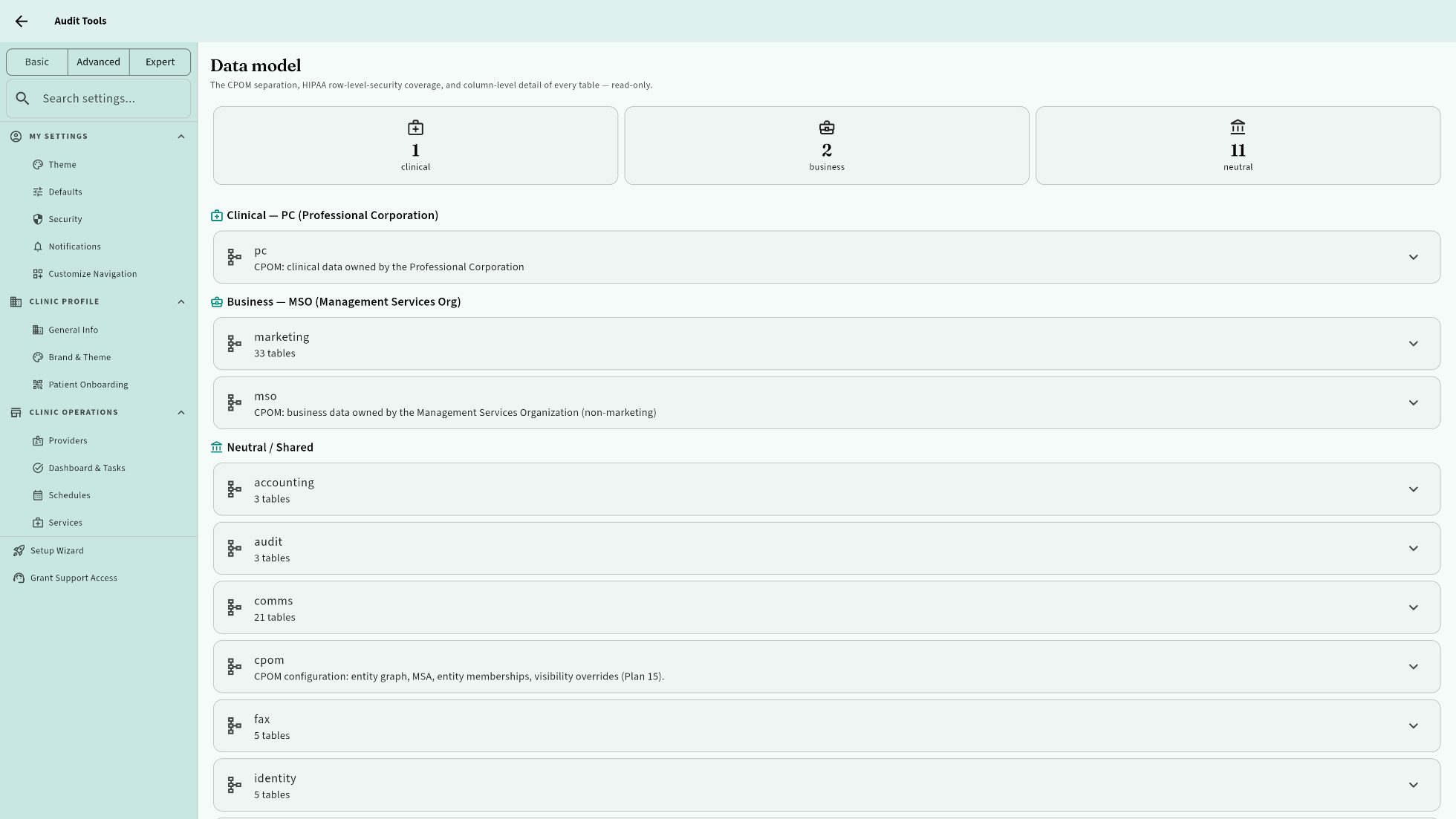
CPOM-aware to the schema. Clinical data owned by the PC, business data by the MSO — separated at the table level, inspectable in-app.
Every action audited. Row-level security and a full audit trail, visible from the owner’s chair.
It’s your data. Export everything, any time, no charge — patient export included.
Audit tools: CPOM data-model separation and row-level-security coverage, inspectable in-app
AUDIT TOOLS · THE DATA MODEL, INSPECTABLE IN-APP
One clinic or a hundred

The same system
at every size.

One login, every location. Each clinic isolated to the row; the operator sees the group.
MSO / PC structures modeled in the product, not in a spreadsheet.
A solo prescriber and a multi-location group run the identical software — same workflows, same standard, same care.
Pricing

Pricing you can
do in your head.

$100
per month · per clinic location

Every module included. Rooms, devices, and staff without limit.

$100
per month · per prescriber

The only per-person charge. Physicians, NPs, PAs who prescribe.

$100
per month · your website (optional)

Built in, published from your clinic data, always current.

Only prescribers cost money. Everyone else is free.

Front desk, injectors, assistants, admins — unlimited, at no charge.

Every moduleSMS & fax linesUnlimited support — a direct thread to Highborne, in your inboxA guided walkthrough whenever you want oneNo setup fee — sign up and set up in an afternoon
PAY FOR TEN MONTHS · GET TWELVE
A solo prescriber with one location: $200 a month.
Three prescribers, two locations, and a website: $600.

A prescriber is a licensed clinician who prescribes — physician, NP, PA. Staff who chart but don’t prescribe are free.

The stack

Run a clinic,
not a software stack.

Count the subscriptions you’re paying for right now. Highborne replaces them — and every piece finally talks to the others.

Booking appEMRCard terminal softwareEmail marketingReview managerCRMWebsite builderInventory spreadsheetGift card appMembership platformCommission spreadsheetFinancing portalFunnel builderFax serviceTeam chat (Slack / Teams / the group text)Appointment reminder servicePatient portal / messaging app Highborne
No pitch

Ask us a question.
That’s the whole ask.

We’re here to help you work out whether Highborne fits your clinic — not to walk you into a relationship. Ask anything: how a workflow handles your service, whether your pricing pencils out, what the migration looks like. You’ll get a straight answer, and you’ll have gotten something for your trouble either way.
Drive the demo yourself, on your own time. Nobody’s watching.
Ask a question and get an answer — from people who built it, not a script.
Want a walkthrough? Say so. We’ll guide you. Nobody will suggest it first.
Once you’re in, support is a message thread. Highborne Support is pinned at the top of your Messages — a direct line to us, in the same inbox as your team channels. No ticket portal, no separate login.
Ask a question →
Questions are free. Answers are the point.
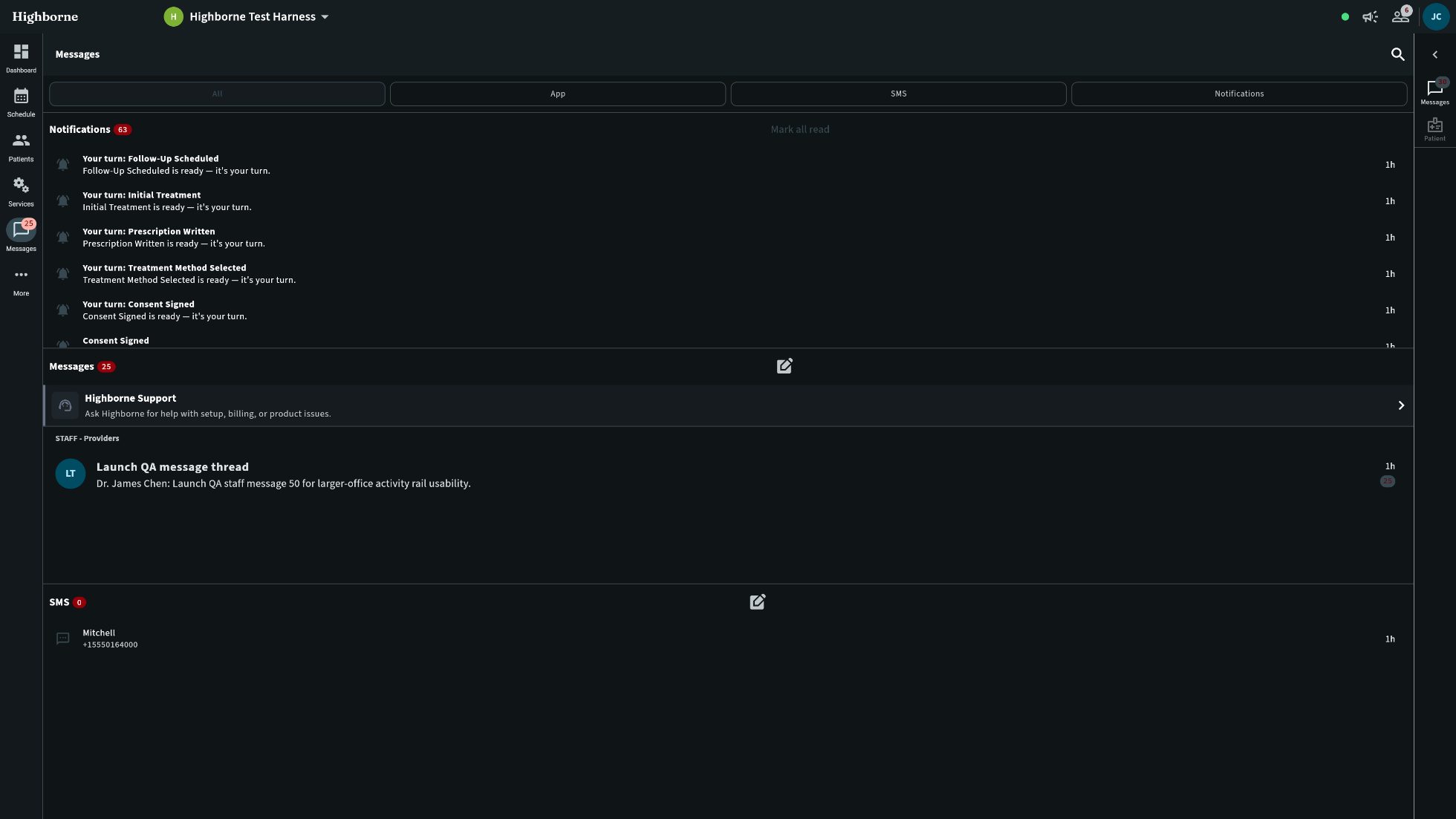
Messages list with the pinned Highborne Support thread
HIGHBORNE SUPPORT · PINNED IN EVERY INBOX
FAQ

Straight answers.

Who counts as a prescriber?

A licensed clinician who prescribes — physician, NP, PA. That’s the only per-person charge. Staff who chart but don’t prescribe — RN injectors, aestheticians, MAs, front desk, admins — are free, without limit.

Is there a setup fee or a contract?

No setup fee. Month to month, or pay for ten months and get twelve. Set up is self-service and takes about an afternoon; unlimited support the whole way, and a guided walkthrough if you want one.

Do you do sales demos?

The demo is free and you drive it yourself, on your own time. Questions? Ask us and you’ll get a straight answer from the people who built it. If you’d like a guided walkthrough, say so — it’s offered, never required.

Does anything clinical go by text message?

No. Clinical conversation — results, questions, care — happens in the secure patient app, attached to the chart. SMS carries appointment logistics only: confirmations, reminders, rescheduling. Marketing never rides on SMS.

Can I run more than one location?

Yes — one login, every location. Each clinic is isolated to the row; the operator sees the group. MSO / PC structures are modeled in the product. Each location is a location fee; prescribers are counted once.

Is it native, or web?

Web today, in any browser, nothing to install. Native Windows, macOS, iOS, and Android are built and working — distribution is coming soon, side-load first and then the stores.

Whose data is it?

Yours. Export everything, any time, at no charge — patient export included.

See it on your
own services.

A free demo you drive yourself — your catalog, HRT to hydration drips. Then set up in an afternoon, with unlimited support from day one.

CURRENTLY IN A CLOSED BETA · ONLINE DEMO COMING SOON · CHECK BACK FOR MORE INFORMATION

Sign in Redeem beta code Try the demo coming soon Ask a question

Questions are free. Answers are the point.